How to Pitch Your Project Using a Storyboard
Pitching a project successfully is no longer about long explanations or slide-heavy presentations. In today’s fast-paced creative and business environment, decision-makers want clarity—fast. This is where a digital storyboard becomes one of the most powerful pitching tools.
Whether you’re pitching a film, marketing campaign, product concept, or branded video, an AI storyboard helps stakeholders see the idea before it’s made. In this guide, you’ll learn how to pitch your project using a storyboard, why it works so well, and how to structure a pitch that resonates with clients, agencies, and investors.
What Is a Storyboard in Project Pitching?
A storyboard is a visual sequence of frames that outlines how a story, idea, or concept unfolds from start to finish. In pitching, it acts as a visual blueprint, showing key moments, transitions, and emotional beats.
Instead of saying “imagine this scene” or “picture how this works,” a storyboard shows it clearly—reducing confusion and speeding up approvals.
Storyboards are widely used in
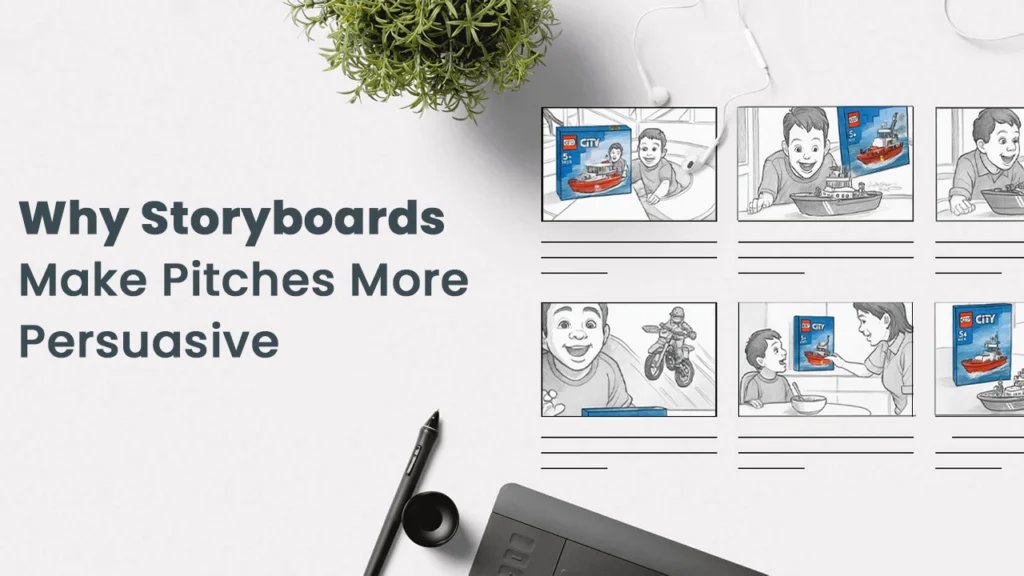
Why Storyboards Make Pitches More Persuasive
Storyboards are especially effective for audiences because they align with how decisions are made—quickly, visually, and with a focus on outcomes.
Key benefits include
- Instant clarity: Visuals explain complex ideas faster than text
- Stronger engagement: Keeps attention during pitches and presentations
- Better alignment: Everyone sees the same vision from the start
- Faster approvals: Fewer revisions and misunderstandings
- Professional credibility: Shows preparation and strategic thinking
When Should You Use a Storyboard for a Pitch?
You should use an online storyboard whenever your idea depends on visual flow or storytelling.
Common use cases include:
- Client proposals and creative decks
If your project has a beginning, middle, and end—a storyboard will strengthen your pitch.
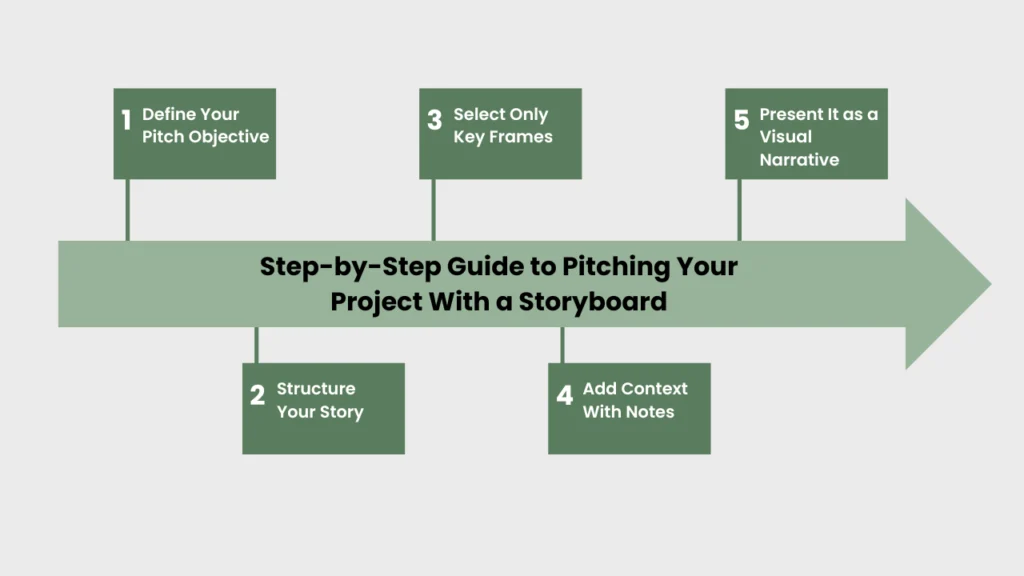
Step-by-Step Guide to Pitching Your Project With a Storyboard
Step 1: Define Your Pitch Objective
Before drawing a single frame, be clear about
- What decision you want (approval, budget, feedback, greenlight)
- Who you’re pitching to (brand, investor, agency, internal team)
Your storyboard should support one clear goal.
Step 2: Structure Your Story
Strong storyboards follow a simple narrative structure:
- Beginning: Introduce the problem, context, or hook
- Middle: Show the solution, journey, or process
- End: Highlight the result, transformation, or call to action.
This structure helps stakeholders quickly understand the value of your idea.
Step 3: Select Only Key Frames
You don’t need to storyboard every second of the project.
- Focus on high-impact moments
- Remove unnecessary or repetitive frames
- Keep each visual purposeful
A clean storyboard is easier to pitch and easier to approve.
Step 4: Add Context With Notes
Use short annotations to explain
- Camera movement or transitions
- Emotional tone or messaging
- On-screen text or branding placement
These notes help non-creative stakeholders follow your thinking.
Step 5: Present It as a Visual Narrative
When pitching
- Walk through the storyboard frame by frame
- Keep explanations short and outcome-focused
- Let visuals lead, words support
This approach keeps your pitch confident and engaging.
What to Include in a Pitch-Ready Storyboard
A professional storyboard should include
- Clear visual frames (sketches or digital)
- Short captions or descriptions
- Mood or style direction
- Brand messaging or CTA placement
- Logical scene flow
You don’t need perfect drawings—clarity matters more than artistic detail.
Common Storyboard Pitching Mistakes to Avoid
Avoid these common issues that weaken pitches
- Overloading frames with too much detail
- Relying heavily on text instead of visuals
- Weak story flow or unclear ending
- Ignoring the business goal of the pitch
- Making the storyboard too long
Simple, focused storyboards perform best—especially in client and investor meetings.
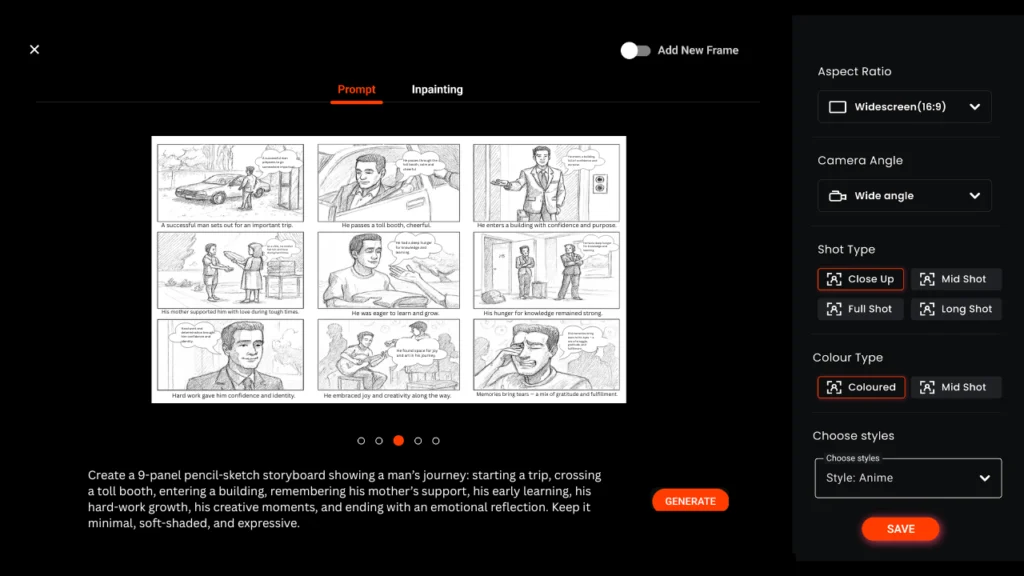
How Murphy Helps You Pitch Better With Storyboards
Murphy is designed to help creators, filmmakers, marketers, agencies, and teams turn ideas into pitch-ready storyboards—faster and smarter. Instead of starting from scratch or juggling rough sketches and scattered notes, Murphy gives you everything you need to present your vision clearly and professionally.
Use ready-to-use free storyboard templates
Jumpstart your pitch with professionally structured templates tailored for films, ads, marketing campaigns, and product demos—no blank canvas required.
Create characters instantly with the AI Character Maker
Bring your story to life using AI-generated characters that match your project’s tone, style, and audience—perfect for visualizing scenes without hiring illustrators.
Build clear, structured storyboards in minutes
Organize scenes, frames, and flow effortlessly, ensuring stakeholders instantly understand your idea.
Maintain visual consistency across projects
Keep characters, scenes, and style aligned throughout your storyboard for a polished, professional pitch.
Present ideas confidently to clients and decision-makers
Whether you’re pitching a campaign, video, or product concept, Murphy helps your audience see the final vision—making approvals faster and easier.
Murphy removes friction from the pitching process, allowing you to focus on storytelling while the platform handles structure, visuals, and presentation.
FAQs: Storyboard Pitching
1.What is a storyboard used for in pitching?
A storyboard visually shows how a project will unfold, making pitches clear and easy to understand.
2.How does a storyboard help in a pitch?
It helps stakeholders visualize the idea quickly and reduces confusion.
3. Do you need drawing skills to create a storyboard?
No, templates and AI tools can create professional storyboards without drawing skills.
4.When should you use a storyboard for pitching?
Use it when pitching films, videos, ads, or visual projects.
5. What should a pitch storyboard include?
Key scenes, visuals, brief notes, and a clear story flow.
6. How many frames should a storyboard have?
Most pitches work best with 6–12 frames.
7. Are storyboards useful for marketing pitches?
Yes, they help explain campaigns and audience flow visually.
8.Can AI be used to create storyboards?
Yes, AI can generate characters, scenes, and layouts quickly.
9.What’s the difference between a storyboard and a pitch deck?
A storyboard shows the story visually, while a pitch deck explains it with slides.
10. Are free storyboard templates good for pitches?
Yes, if they are clear, structured, and professional.

