The Hidden Formula Behind Consistent Characters in AI-Generated Storyboard

In the fast-evolving world of AI-powered content creation, one challenge still frustrates creators, animators, and marketers more than anything else: keeping a character consistent across every storyboard frame.
Facial features change. Outfits shift. Styles fluctuate. And the result? A storyboard that looks patched together instead of professionally crafted.
This is exactly where Murphy, an advanced AI storyboard platform, has changed the game. By solving the character consistency problem at its core, Murphy enables creators to produce reliable, continuity-perfect storyboards in minutes.
Let’s dive into the real secret behind Characters in AI-generated Storyboard — and how Murphy makes it effortless.
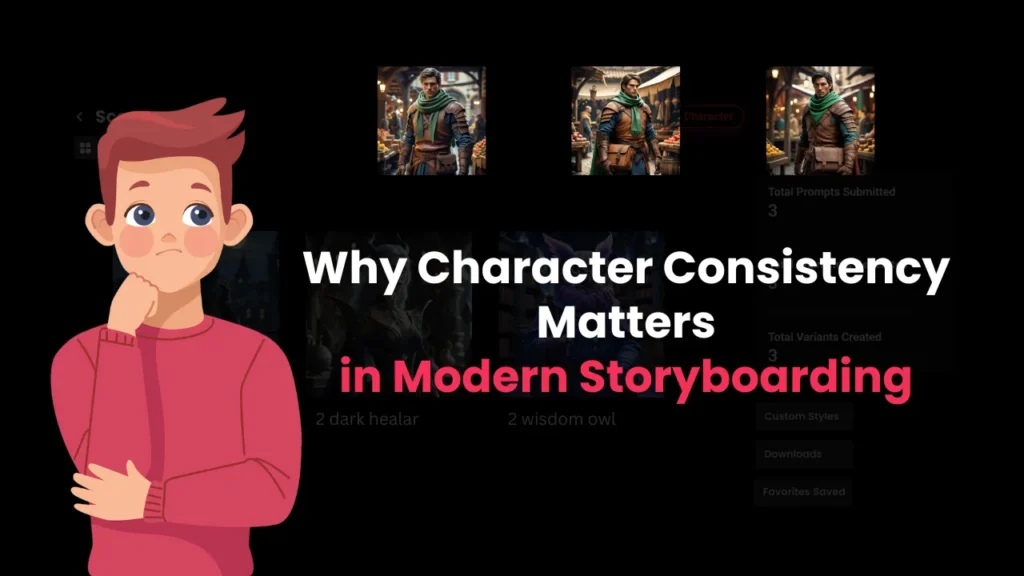
Why Character Consistency Matters in Modern Storyboarding
Character consistency is the backbone of visual storytelling. When a character’s appearance remains uniform across scenes, the audience instantly recognizes them, follows the storyline with ease, and emotionally connects with the narrative.
Consistency strengthens emotional impact
Viewers respond more deeply when characters feel familiar. A consistent design makes characters memorable and relatable.
Inconsistency breaks immersion
Changes in face shape, clothing, or style can pull viewers out of the story, making the storyboard look unprofessional.
Brand identity relies on character continuity
For companies using mascots or recurring brand characters, consistency ensures strong brand recall and visual integrity.
Whether you’re building animations, advertisement storyboards, or series concepts, consistent characters are non-negotiable — especially when AI tools are involved.

The Biggest Challenges Creators Face With AI Storyboards
Traditional AI image generators are incredible at producing high-quality visuals, but they struggle with maintaining continuity.
Facial features that change from frame to frame
One moment the character has sharp features; the next they look younger or older. AI tends to reinterpret faces unless guided carefully.
Inconsistent clothing, colors, and accessories
Tiny differences in prompts often cause major visual variations.
Style drift across the storyboard
Without strict controls, the art style may shift — from realism in one frame to semi-illustrative in another.
Lack of multi-frame memory
Most AI models treat each image independently. They don’t “remember” the character across scenes.
This is the exact problem Murphy was built to solve.
How Murphy Solves the Character Consistency Problem
Murphy introduces a completely new approach to AI storyboarding through its Character Lock and Memory System — features designed specifically for multi-frame consistency.
Murphy’s Character Lock Technology
This system captures the identity of the character from the first frame — including face structure, clothing, style, and proportions — and applies it across every scene.
Consistent outputs across multiple frames
Whether your storyboard has 5 scenes or 50, Murphy automatically ensures the character looks the same.
Real-time adjustments with Character Memory
If you tweak a character (e.g., change hairstyle, adjust outfit), Murphy updates the memory and maintains that update throughout all upcoming frames.
Stable style, colors, and personality
Murphy doesn’t just copy features. It preserves the “essence” of the character — personality, vibe, posture, and energy — making your storyboard feel cohesive and intentionally designed.
This automated consistency is what separates Murphy from generic image tools.
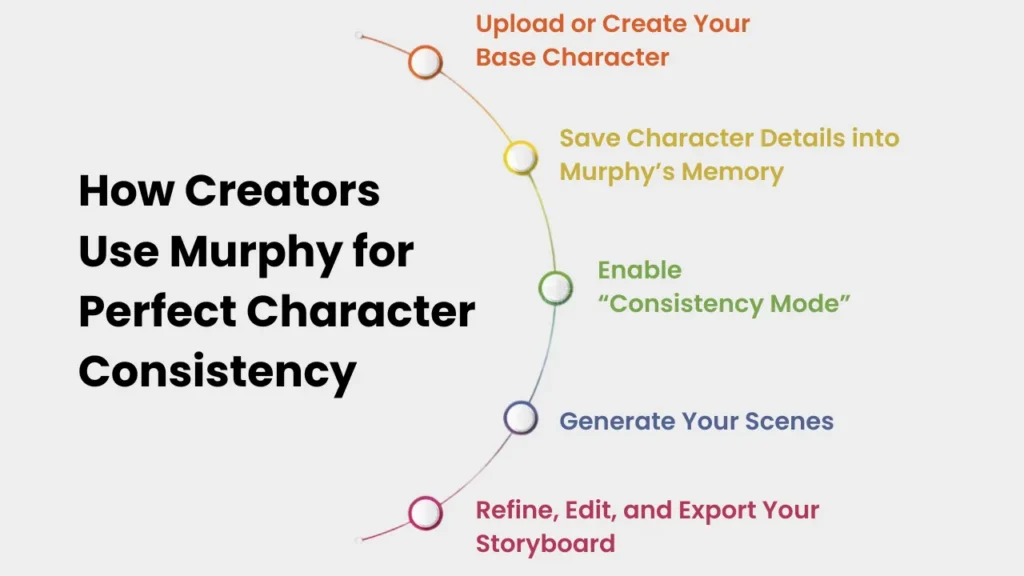
Detailed Workflow: How Creators Use Murphy for Perfect Character Consistency (With Examples)
Maintaining character consistency in AI-generated storyboards becomes incredibly simple when you follow Murphy’s proven workflow. Below is a step-by-step breakdown of how to create a storyboard, complete with practical examples for each stage.
Step 1 — Upload or Create Your Base Character
Before generating a storyboard, Murphy lets you upload a character reference or create one using prompts inside the platform.
What to Do
- Upload an existing design, brand mascot, or character sketch.
- OR create a fresh character using Murphy’s AI generator.
Example
If you’re creating a character named Aria, a young detective, for a mystery-themed ad:
Prompt Example:
“A young female detective, mid-20s, with sharp facial features and short brown hair, wearing a navy trench coat, holding a notebook. Semi-realistic illustration style.”
Murphy generates a consistent starting character based on this description.
Step 2 — Save Character Details into Murphy’s Memory
Once the base character is ready, you store its core features in Murphy’s Character Memory System. This enables Murphy to “remember” the appearance for all future frames.
What Murphy Saves
- Facial structure
- Hairstyle & color
- Eye shape and color
- Clothing details
- Body proportions
- Art style
- Color palette
- Accessories
Example
For Aria, Murphy stores details like
- Short brown bob-cut hair
- Hazel eyes
- Navy trench coat
- Brown leather belt and notebook
- Light semi-realistic art style
- Slim body proportions
Now Murphy can use these details every time you generate a new frame.
Step 3 — Enable “Consistency Mode” (Character Lock ON)
This is the powerful part. Consistency Mode locks the saved character identity and applies it across all scenes in your storyboard.
What It Does
- Prevents facial changes
- Maintains outfit and accessories
- Keeps art style stable
- Ensures proportions stay correct
- Avoids accidental variations
Example
If you generate a new prompt like
“Aria running through a dimly lit alley, looking back nervously.”
Murphy automatically keeps her exact:
- Face
- Hairstyle
- Trench coat
- Proportions
- Art style
No matter what the scene is.
Step 4 — Generate Your Scenes (Murphy Handles Consistency Automatically)
Now you can start building your storyboard scene by scene without worrying about variation.
How to Use It
- Give Murphy prompts describing actions, emotions, or locations.
- Avoid re-describing the character — Murphy already remembers them.
- Generate as many frames as needed: 6, 12, 20, or even 50+.
Examples for Your Storyboard
- Scene Example 1
Prompt:
“Aria entering a cluttered detective office, scanning the room cautiously.”
Murphy outputs Aria with the same face, outfit, and style.
- Scene Example 2
Prompt:
“Close-up of Aria examining a mysterious glowing clue on her desk.”
Murphy keeps her features identical to previous scenes — even in close-up shots.
- Scene Example 3
Prompt:
“Aria interviewing a suspect in a dim interrogation room.”
Murphy ensures the character is perfectly consistent, even in new lighting conditions.
Creators don’t need to spend time fixing inconsistencies — Murphy handles it.
Step 5 — Refine, Edit, and Export Your Storyboard
Once all frames are generated, Murphy allows you to make targeted edits without breaking consistency.
What You Can Edit
- Adjust facial expressions
- Change camera angles
- Modify the background
- Add or remove props
- Tweak lighting
Murphy keeps the character intact while applying your refinements.
Example
If you want Aria to look slightly more serious in Frame 4:
Edit Prompt:
“Same scene, same character. Make Aria’s expression more intense and focused. Keep all other details identical.”
Murphy will update the expression, but everything else remains perfectly consistent.
Export Options
- Full storyboard grid
- Individual frames
- Sequence for presentations
- High-resolution PNG/JPEG
- Storyboard templates for agencies
Your exported storyboard looks clean, uniform, and studio-ready.
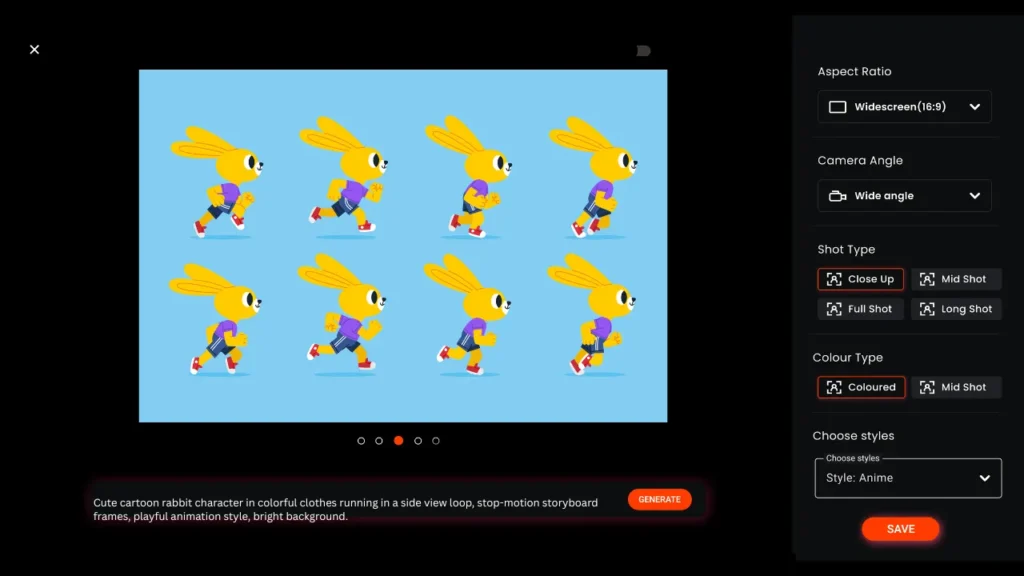
Best Practices for Maintaining Character Consistency
Even with Murphy’s smart systems, using the right creative habits makes your results even stronger:
Use a detailed base character description
Include:
- Age
- Ethnicity
- Outfit
- Hairstyle
- Mood
- Style (e.g., semi-realistic, 2D animation, comic)
Maintain a stable art style throughout
If you start with a 3D look, stay with it. Switching styles confuses identity.
Use reference images whenever possible
Murphy reads references accurately to maintain exact features.
Avoid over-explaining small changes
Instead of “change everything,” modify only what matters. Murphy manages the rest.
Let Murphy carry the consistency load
Don’t re-describe the character in each prompt — that increases variation. Describe only actions and scenes.
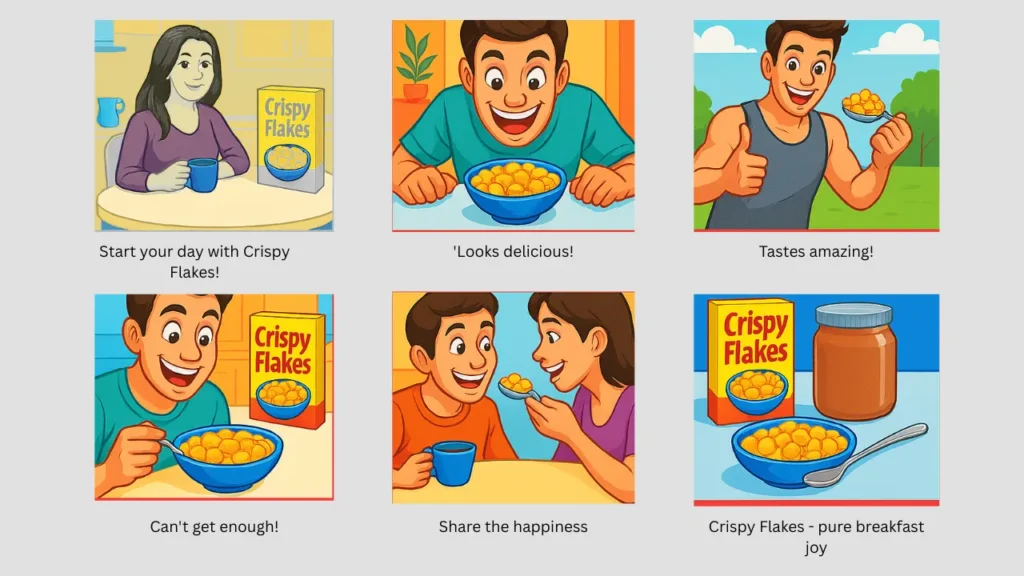
How Professional Creators Maintain Character Continuity in AI Video Ads
Professional ad creators know that even the best AI tools can struggle with continuity unless a proper workflow is followed. Here’s how experts ensure flawless character consistency in AI-generated video ads:
1. They define a master character profile
Before generating a single frame, pros create a fixed identity sheet that includes
- Face structure
- Hairstyle & color
- Skin tone
- Clothing
- Art style
- Signature expressions
- Key props (glasses, bag, logo items)
This acts as the “non-negotiable blueprint.”
2. They use reference images across all scenes
Professionals always reuse:
- The same base portrait
- The same pose reference
- The same outfit reference
AI understands visual references better than repeated text prompts.
3. They rely on AI tools with character memory
Platforms like Murphy Store:
- The saved character identity
- Proportions
- Style
- Colors
So every scene automatically matches earlier frames — without re-describing the character.
4. They keep prompts consistent
Creators only describe:
- The action
- The camera angle
- The environment
They avoid re-describing the character because that introduces variation.
5. They lock the style
Style drift is one of the biggest causes of inconsistency.
Pros always use:
- The same exact style prompt
- The same art direction
- The same lighting cues
Example
“Same character as previous frame. Medium shot. She runs through a neon-lit street, worried expression.”
AI keeps the identity stable while generating a new scene.
How Agencies & Creators Use Murphy for Consistent Storyboards
Murphy is already becoming the go-to tool for agencies and creators worldwide because consistency builds credibility.
Advertising Agencies
They use Murphy for brand mascot campaigns, ensuring clean uniformity across scenes.
Animation Studios
For pilot episodes, scene breakdowns, and concept reels, consistent characters speed up pre-production.
Social Media Creators
Those who build recurring series or characters get reliable visuals without redesigning every episode.
Production Houses & Ad Directors
Murphy streamlines the entire animatic pipeline, saving time and maintaining professional quality.
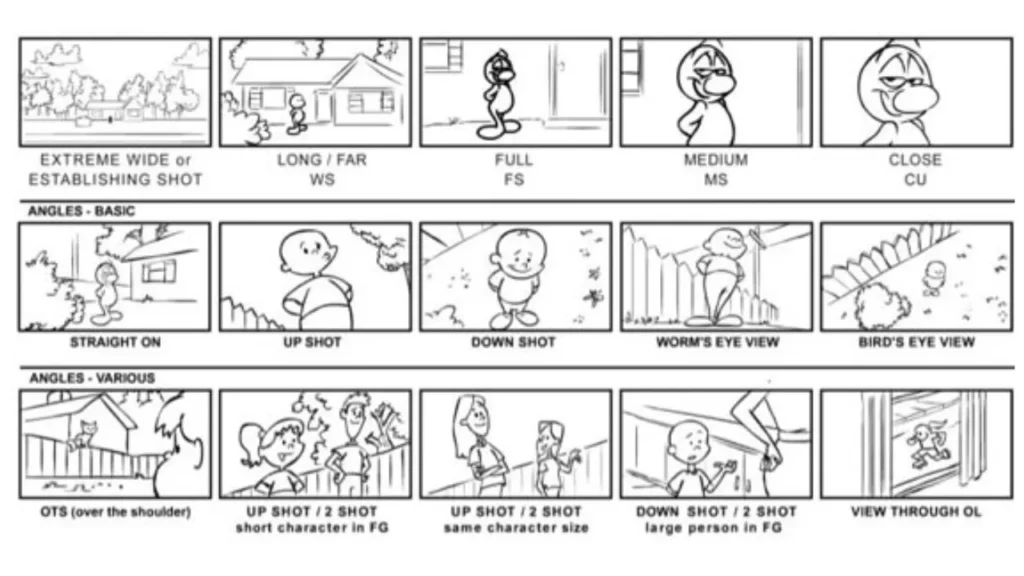
The Hidden Formula Behind Character Consistency in AI Animations & Storyboards
There is a formula — and professional storyboard artists swear by it.
The 5-Step Hidden Formula
1. Establish → Lock → Reuse
Create the character → lock its details → reuse consistently across frames.
2. One Identity, Many Scenes
Describe ONLY what changes:
- Action
- Mood
- Background
- Angle
The character identity stays untouched.
3. Use Multi-Frame AI Memory
A tool like Murphy stores “core identity traits,” such as:
- Jawline
- Eyes
- Body ratio
- Palette
- Clothing layers
This ensures all scenes match perfectly.
4. Maintain Style Discipline
Use the exact same style cue every time, such as
- “Semi-realistic 2D”
- “Comic book shading”
- “Clean advertising style”
- “Soft cinematic lighting”
A single variation can distort the face or proportions.
5. Minimal Prompt Adjustments
- Small prompt changes = stable identity
- Big prompt changes = high inconsistency risk
Golden rule:
“Change the scene, not the character.”
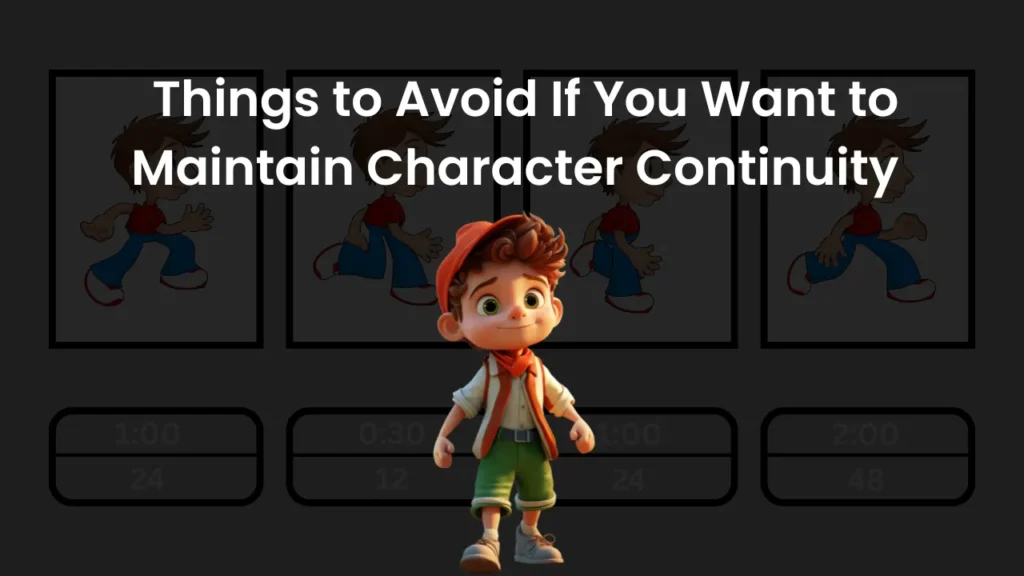
Things to Avoid If You Want to Maintain Character Continuity
Below are the biggest mistakes that create inconsistency in AI-generated ads, animations, and storyboards.
Re-describing the character in every prompt
Example of what NOT to do:
- “A tall boy with curly hair…”
- “A young curly-haired boy…”
- “A tall boy wearing a red jacket…”
Every variation alters the identity.
Changing art style mid-way
- If one frame is:
- “Realistic”
- and the next is:
- “Digital painting style,”
AI will NOT match the character.
Adding too many new details each scene
AI gets confused when details keep shifting:
- “Add glasses.”
- “Change the jacket.”
- “Different hair length”
Unless it’s part of the story, avoid unnecessary variations.
Using multiple reference images with different looks
If the references vary in:
- angle
- style
- lighting
AI merges them into inconsistencies.
Over-editing the character during refinement
Too many correction rounds like:
- “Make nose smaller.”
- “Increase jawline”
- “Change eyebrows”
can distort identity across frames.
Forgetting to lock character identity in tools
In AI storyboard platforms, “Character Lock” or “Consistency Mode” must be ON — otherwise every new frame becomes a fresh guess.
Murphy vs Other AI Storyboard Tools
Here’s what sets Murphy apart:
True multi-frame character memory
Most tools generate each frame separately. Murphy connects them.
Professional storyboard layout and consistency
Visual continuity and frame structure work together.
Faster workflows with fewer prompts
You don’t need to micromanage details — Murphy handles identity retention.
Designed specifically for storyboards
Other tools are general-purpose image generators, while Murphy is built for creators, agencies, and directors.
FAQs: Everything You Need to Know
What is character consistency in AI storyboarding?
Character consistency refers to keeping the same visual identity of a character across every frame in a storyboard or animation. This includes the same face, body shape, hairstyle, outfit, and art style. Consistency ensures your story looks professional and visually connected.
Why is character continuity important for AI-generated video ads or animations?
Character continuity helps maintain brand identity, improves viewer recognition, and creates smooth storytelling. In AI-generated video ads, consistent characters make the visuals look polished and intentional, increasing audience trust and engagement.
How do I make sure my character looks the same in every AI-generated frame?
Use a platform with multi-frame memory or character lock features, like Murphy. Save your base character once, avoid re-describing them in every prompt, and use the same style settings across all scenes to maintain a fixed identity.
Which AI tools offer strong character consistency features?
Murphy, Runway Gen-2, and Stable Diffusion with ControlNet can maintain character consistency. Murphy is specifically built for storyboards, offering a dedicated Character Lock and Consistency Mode for multi-frame continuity.
How do reference images help maintain character identity in AI storyboards?
Reference images give the AI a stable visual anchor. When you upload a character portrait, outfit image, or sketch, the AI uses it to replicate the same features across every frame, reducing variation and style drift.
Can I change the character’s outfit, pose, or expression while still preserving their look?
Yes. You can modify outfits, poses, expressions, or even lighting as long as the character’s core identity stays locked. Use minimal, focused prompts like “Same character, new pose, happy expression.”
Does using the same “seed” in AI generation help keep the character consistent?
Using the same seed can help, but it’s not enough for multi-frame continuity. Seeds maintain randomness, not identity. For reliable consistency, tools with character memory systems are much more effective.
How do I avoid style drift (changing art style) between scenes?
Use the exact same art style setting in all prompts. Avoid mixing terms like “realistic,” “digital art,” and “concept art.” Once you decide on a look, stick to the same description, lighting style, and color tone in every frame.
What prompt-engineering techniques work best for character continuity?
- Don’t re-describe the character repeatedly.
- Keep the character description static.
- Describe only action, angle, or emotion.
- Use reference images for stability.
- Add “same character as previous frame” for clarity.
How much control do I have over character details in AI storyboard generators?
Modern tools like Murphy give creators full control over facial details, style, clothing, and proportions. You can fine-tune frames individually, and Murphy’s memory ensures updates carry into all future scenes.
Is it possible to refine or edit my character after the first few frames without breaking consistency?
Yes. If you adjust a feature—like adding a hat or slightly changing the hairstyle—Murphy updates the stored character identity so the new design remains consistent in all remaining frames.
What limitations exist in AI when generating the same character multiple times?
The main challenges include:
- accidental face variations
- inconsistent outfits
- angle or lighting causing identity changes
- style drift
Tools without character memory struggle the most. Using consistency-focused tools solves these limitations.
How do I manage character consistency when working with multiple scenes or camera angles?
Keep the character fixed in memory and prompt only for scene details. For example:
“Same character. Wide shot. Running through a marketplace.”
Murphy automatically adjusts angles while keeping the identity intact
How much does character consistency cost in terms of credits or pricing on AI storyboard platforms?
Pricing varies by platform, but character consistency typically costs the same as generating standard frames. Tools like Murphy include consistency features by default, with no extra cost per frame.
Can I save a ‘character profile’ in an AI tool so it’s reused across different projects?
Yes. Murphy allows you to save character profiles that can be reused in future storyboards. This is ideal for brands, series creators, and agencies working with recurring characters.

