
Prompt Guide for Storyboarding: Step-by-Step with Real Examples
Before cameras roll or animations move, every great idea begins with a digital storyboard — the visual roadmap of your story.
A well-designed storyboard helps you plan each shot, emotion, and scene transition before production even starts.
But how do you turn your idea into clear visual directions?
That’s where prompt writing comes in.
This Prompt Guide for Storyboarding will show you easy steps, examples, and common mistakes so you can create professional-looking storyboards — even if you’re a beginner.
What Is a Storyboarding Prompt?
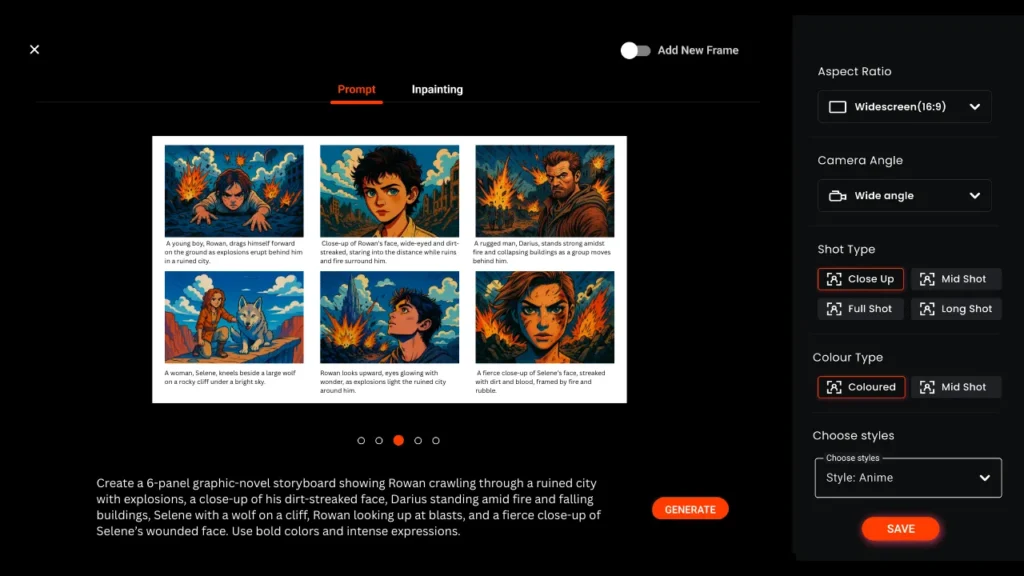
A storyboarding prompt is a short, descriptive instruction that tells what should happen in each scene — including the action, setting, camera angle, and emotion.
Good prompts help:
- Visual artists or AI tools understand your idea
- Teams stay on the same creative page
- Projects move faster with fewer revisions
Example:
Instead of saying “show a man walking,”
Write: “A tired man walks slowly through a rainy street at night, camera close-up on his face under a flickering streetlight.”
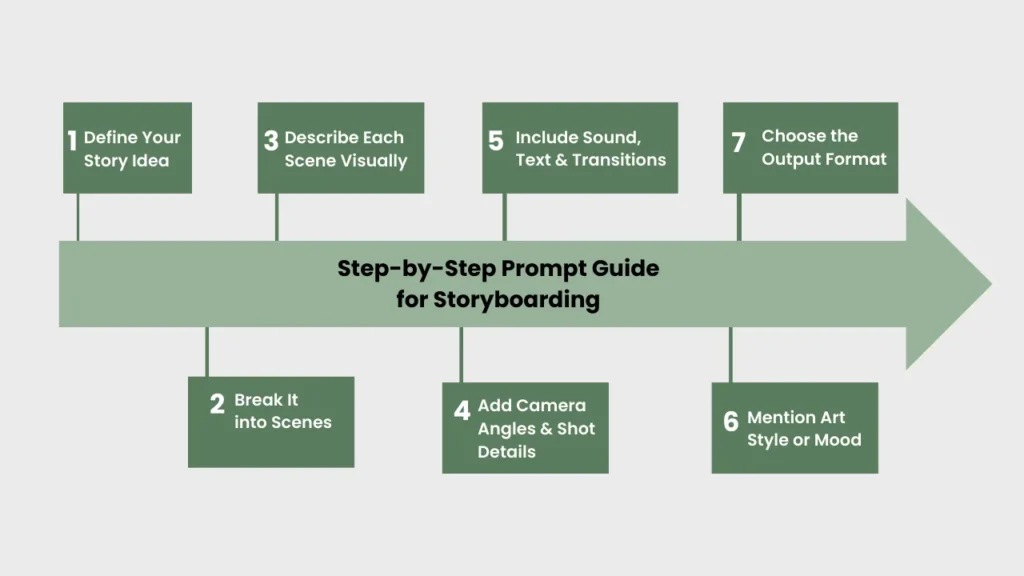
Step-by-Step Prompt Guide for Storyboarding
Follow these simple steps to craft strong, creative storyboard prompts
Step 1: Define Your Story Idea
Start by describing your story in one or two clear sentences.
Include the theme, character, and overall tone.
- Example Prompt:
“A young inventor builds a flying bicycle to escape his small town and chase his dream.”
- Include genre, mood, and video length.
Step 2: Break It into Scenes
Divide your story into small, easy-to-visualize sections (acts or shots).
- Example Prompt:
Act 1: Dreaming of flight
Act 2: Building the invention
Act 3: Taking off into the sky.
- Tip: 5–10 scenes work perfectly for short stories or ads.
Step 3: Describe Each Scene Visually
Use clear, specific language — what happens, where it happens, and how it feels.
- Example Prompt:
“Scene 2: Close-up of gears turning as the inventor works under golden sunset light. His focused eyes reflect the glow of his invention.”
- Include setting, action, lighting, and emotion.
Step 4: Add Camera Angles & Shot Details
Mention how the camera captures the moment.
- Example Prompt:
“Wide-angle shot as the bike lifts off. Camera tilts upward to follow the flight into the clouds.”
- Common shot types: close-up, mid-shot, wide, POV, and overhead.
Step 5: Include Sound, Text & Transitions
Sound and on-screen text create emotional flow.
- Example Prompt:
“Soft piano music builds as the bicycle rises. Add text on screen: ‘Dreams have wings.’ Fade into bright sky.”
Step 6: Mention Art Style or Mood
Art direction keeps visuals consistent and memorable.
- Example Prompt:
“Style inspired by Studio Ghibli — warm colors, soft lighting, and dreamy atmosphere.”
Step 7: Choose the Output Format
Tell how you want the storyboard delivered.
- Example Prompt:
“Generate an 8-panel storyboard with scene titles, brief descriptions, and dialogue below each frame.”
Prompt Guide for Storyboarding: Wrong vs. Perfect Prompts
Now let’s see how unplanned prompts compare to well-structured ones.
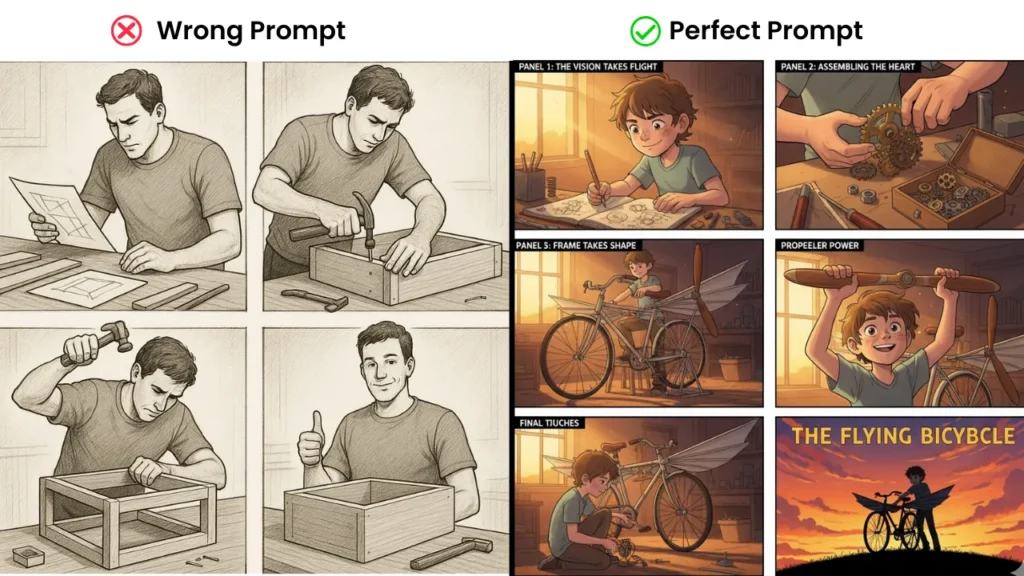
Example 1: Scene Setup
Wrong Prompt:
“Make a storyboard of a person building something.”
Perfect Prompt:
- Create a 6-panel storyboard showing a young inventor building a flying bicycle.
- Scene 1: Sketching blueprints.
- Scene 2: Assembling gears.
- Lighting: Warm sunset tones.
- Mood: Hopeful and inspiring.
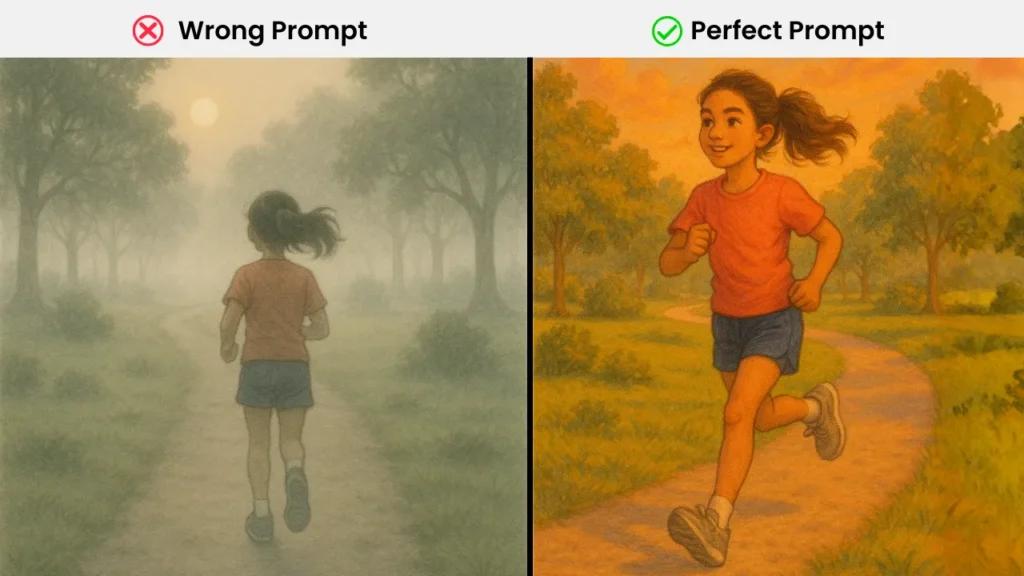
Example 2: Action Scene
Wrong Prompt:
“Show a girl running in a park.”
Perfect Prompt:
- Storyboard a young girl running through a foggy park at sunrise.
- Camera: Wide shot from behind.
- Sound: Birds chirping softly.
- Emotion: Calm and determined.
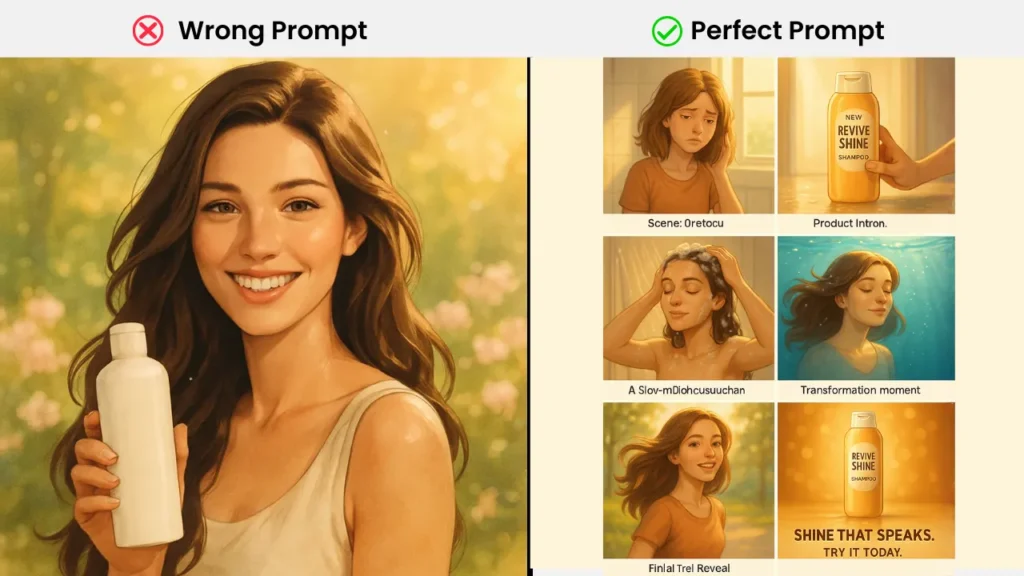
Example 3: Product Ad Scene
Wrong Prompt:
“Make a storyboard for a shampoo ad.”
Perfect Prompt:
Create a 5-panel storyboard for a shampoo commercial.
- Scene 1: Hair blowing in sunlight.
- Scene 2: Washing hair with soft bubbles.
- Scene 3: Close-up of shiny strands.
- Scene 4: Smiling in mirror.
- Scene 5: Product logo with tagline ‘Shine Naturally.’
- Style: Clean, minimal, elegant.
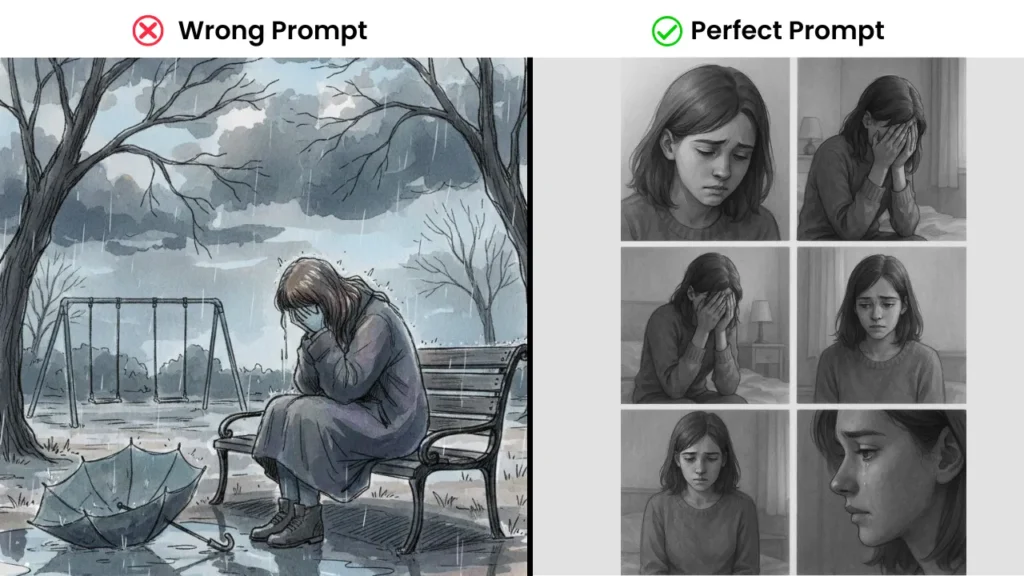
Example 4: Emotional Scene
Wrong Prompt:
“Storyboard a sad scene.”
Perfect Prompt:
- Storyboard a 4-panel emotional scene where a boy says goodbye to his pet at the vet.
- Scene 1: Boy holding pet’s paw.
- Scene 2: Doctor in background.
- Scene 3: Soft light, tear falling.
- Scene 4: Fade-out with text ‘Forever in our hearts.’
- Mood: Gentle and heartfelt.
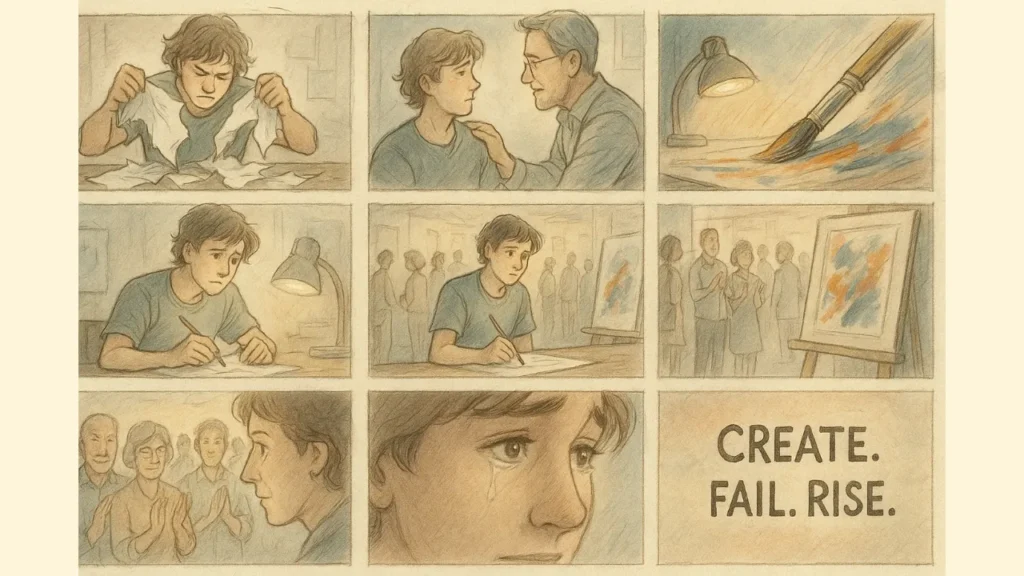
Full Example Prompt
- Create an 8-panel storyboard for a motivational short film.
- Theme: Overcoming fear of failure.
- Scene 1: Artist tears sketches in frustration.
- Scene 2: Mentor offers advice.
- Scene 3: Late-night practice under desk light.
- Scene 4: Paint splashes — close-up brush strokes.
- Scene 5: Nervous at art fair.
- Scene 6: Audience applauds.
- Scene 7: Close-up of happy tears.
- Scene 8: Text: ‘Create. Fail. Rise.’
- Visual Style: Soft cinematic tones, calm piano music.
Quick Recap Table
| Step | Focus | Example Keyword |
|---|---|---|
| 1 | Story Idea | “Dreamer builds flying bike” |
| 2 | Divide Scenes | “Act 1, Act 2, Act 3” |
| 3 | Visual Detail | “Close-up of gears” |
| 4 | Camera Style | “Wide shot, cinematic” |
| 5 | Sound/Text | “Soft piano, quote overlay” |
| 6 | Art Mood | “Studio Ghibli style” |
| 7 | Format | “8-panel storyboard” |
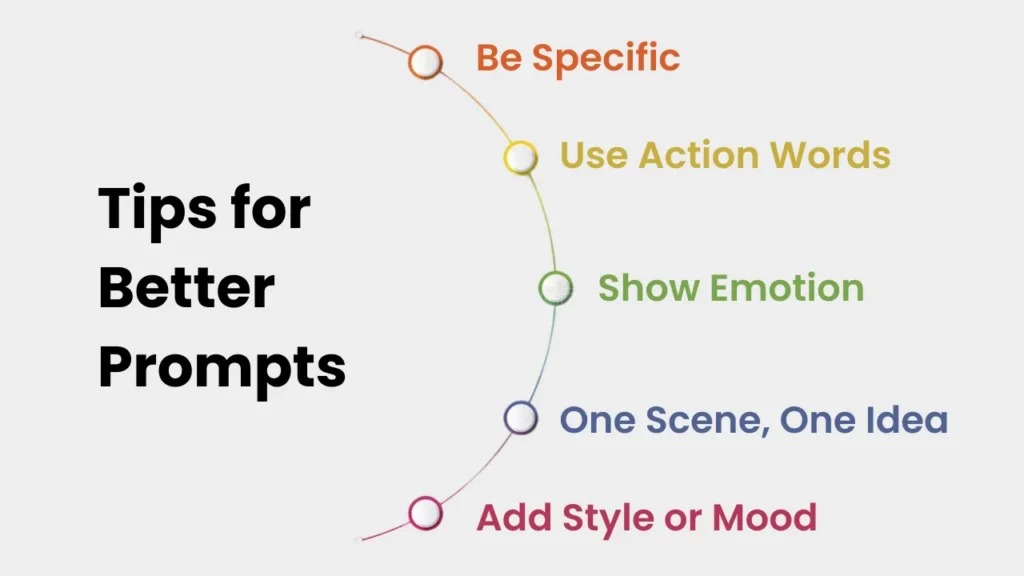
Tips for Better Prompts
Be Specific
Describe what’s happening, where, and how it feels.
“A child chases a red kite across a sunny field.”
Use Action Words
Make scenes active — runs, turns, zooms, smiles.
“The camera zooms in as the girl laughs under the rain.”
Show Emotion
Add feelings through expressions or lighting.
“Soft blue light shows his sadness as he stares at the photo.”
One Scene, One Idea
Keep each prompt focused on one action or emotion.
Scene 1: She runs.
Scene 2: She smiles at the finish line.
Add Style or Mood
Mention tone or reference (e.g., Pixar style, warm tones).
“Dreamy, cinematic lighting with pastel colors.”
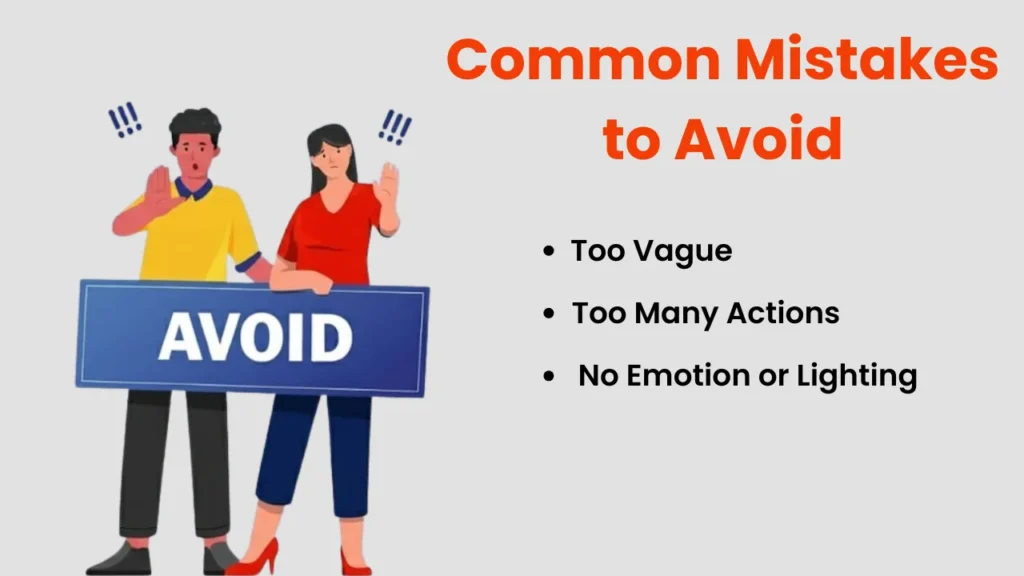
Common Mistakes to Avoid
Too Vague
“A man walks.”
“A man walks alone down a rainy street under flickering lights.”
Too Many Actions
“She runs, eats, talks, and leaves.”
Break into simple scenes for clarity.
No Emotion or Lighting
“Boy sits.”
“Boy sits quietly on a bench under a dim lamp.”
AI Character Maker for Storyboarding
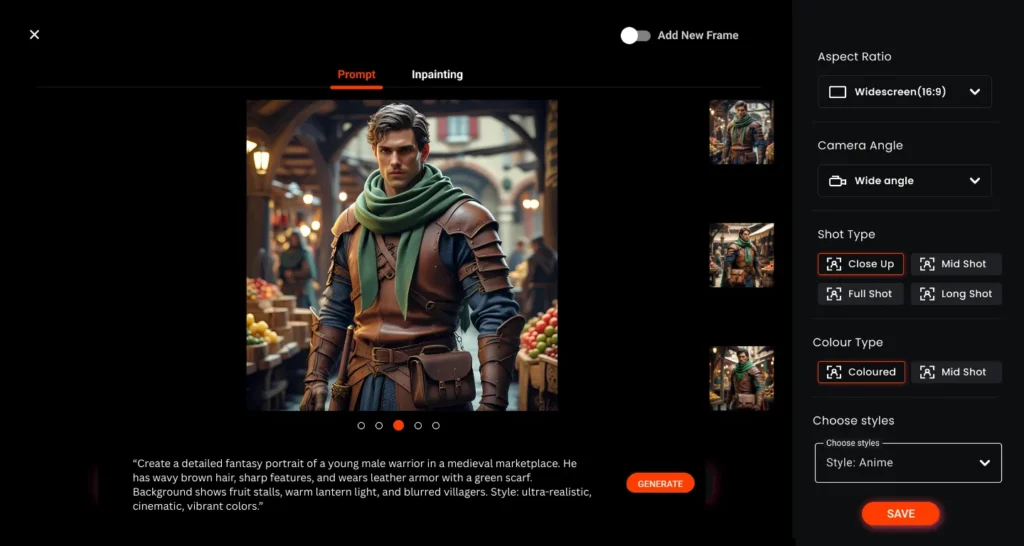
In today’s digital storytelling world, creating expressive and visually consistent characters is easier than ever — thanks to AI character makers. These tools allow artists, filmmakers, and content creators to design characters in seconds without advanced drawing skills.
AI character makers like Murphy, Artbreeder, Leonardo AI, and Midjourney can generate realistic or stylized characters based on detailed prompts. You simply describe your vision, and the AI creates visuals that match your story’s tone and style.
How It Works
AI character creation depends on clear and detailed prompts.
Instead of saying:
“Make a girl character.”
You can write:
“Create a confident teenage girl with short brown hair, a red hoodie, and a digital camera around her neck. She looks curious and determined.”
The more specific you are — describing expressions, outfits, poses, and moods — the closer the output will match your storyboard vision.
Benefits of Storyboarding
- Helps visualize main and side characters instantly.
- Ensures consistent appearance across scenes.
- Saves hours of sketching and editing.
- Makes collaboration easier between writers, artists, and animators.
With the help of AI character makers, even non-artists can now create believable characters that add emotion and depth to their storyboards.
AI Revolution in Storyboarding and Filmmaking
Artificial Intelligence is reshaping how stories are told — from the first idea to the final frame. The filmmaking process, which once took weeks of manual sketching and revisions, can now be done in hours using AI-powered tools.
Today’s AI storyboard generators like Murphy, Runway ML, Pika Labs, and Storyboard Hero allow creators to turn written prompts into visual scenes instantly. Whether you’re working on a short film, commercial, or animation, AI can help visualize every shot before production even begins.
How AI Is Transforming Storyboarding
- Faster Pre-Production: AI tools generate instant frame previews from text descriptions.
- Visual Consistency: Prompts ensure a unified style across all scenes.
- Creative Exploration: You can test multiple camera angles, lighting styles, or moods within minutes.
- Accessible Creativity: Anyone — even without design training — can visualize complex ideas.
AI has introduced a new creative language — prompt writing. Crafting precise prompts is now a vital filmmaking skill, often called the “language of AI storytelling.”
For example:
“A slow-motion shot of a runner crossing the finish line under golden light, with a cheering crowd and confetti in the air.”
With just one prompt like this, AI can create an entire storyboard scene — capturing emotion, movement, and setting instantly.
Why It Matters:
The AI revolution doesn’t replace creativity — it amplifies it.
Directors, writers, and designers can now focus more on storytelling and less on technical barriers. It’s about merging human imagination with AI speed to create more powerful visual stories.
Visual Storytelling in the AI Era
“From Pencil Sketches to AI Frames: The New Age of Visual Storytelling”
Storytelling has always evolved with technology — from cave paintings to cinema — and now, we’re entering the AI storytelling era.
Modern creators can visualize complex ideas faster than ever using AI tools that combine 3D modeling, VR environments, and generative visuals.
You can describe a scene in words and watch AI turn it into a cinematic frame — complete with lighting, camera angles, and atmosphere.
How AI Is Redefining Visual Storytelling
- 3D & VR Visualization: Turn concepts into immersive worlds.
- AI Animation: Tools like Pika Labs and Runway ML can bring still frames to life.
- Real-Time Editing: Instantly tweak tone, lighting, or style through prompt changes.
This shift doesn’t make traditional skills obsolete — it expands them.
Writers, filmmakers, designers, and marketers can now collaborate visually from the very first idea.
The result?
Faster production, richer creativity, and endless new ways to tell stories that connect emotionally and visually.
FAQs about Storyboard Prompt
What is a storyboard prompt?
A storyboard prompt is a short and clear description of what a scene should entail: the characters, actions, emotions, lighting, and camera angles. Good prompts make it easy for AI or an artist to accurately visualize a scene as intended.
Why are prompts important in storyboarding?
Prompts guide the entire visual direction. They make scenes clear, reduce confusion, and help creators, AI tools, or designers create consistent visuals across the story. They are like the “blueprint” of the storyboard.
What makes for a good storyboard prompt?
A good storyboard prompt is:
- Specific to the scene
- Visual with details such as lighting or camera angle
- Emotional, showing mood or expression
- Simple; dealing with only one action or moment
Example:
“A girl runs across a rainy street at night, soft neon lights reflecting on the ground, close-up shot.
In what ways does the art prompt differ from a storyboard prompt?
- Art Prompt: It focuses on aesthetics, style, textures, and other artistic details.
- Storyboard Prompt: Focuses on action, sequence, character movement, and storytelling.
Storyboard prompts describe what happens, not just how it looks.
How to write AI-ready storyboard prompts
You can follow this quick formula:
Character + Action + Setting + Emotion + Angle/Lighting
Example:
“A weary detective enters a run-down apartment, handheld camera angled, with dusty sunlight through blinds.
Which AI tools can help create storyboards?
Popular AI tools include:
- Storyboard generators: Murphy, Runway ML, StoryboardHero, Pika Labs
- Character makers: Artbreeder, Midjourney, Leonardo AI
- Animation tools: Runway Gen-2, Pika Labs
These tools speed up visual creation with simple prompts.
How does AI improve the process of storyboarding?
AI helps with
- Quick scene visualization
- Automatically generating characters
- Fast concept testing
- Consistent appearance across frames
- Saving time on revisions
It does not replace creativity; rather, it enhances.
What are the mistakes I should avoid in writing prompts?
- Avoid using personal pronouns.
- Vague descriptions
- Too many actions in one prompt
- Missing emotions or lighting
- Inconsistent character descriptions
- Skipping camera angles when necessary
Example error: “A man goes somewhere.”
“A man in a rush runs through a crowded subway tunnel, wide shot, tense expression.”
Can AI replace human storyboard artists??
No, AI assists but cannot replace human emotion, creativity, and storytelling judgment.
Speed-AI, Meaning-Humans.
The future is collaboration between AI and humans, not replacement.
How do AI character makers help in storyboarding?
AI character tools allow you to:
- Create consistent characters across scenes
- Change expressions and postures rapidly
- Try different styles: realistic, cartoon, anime, cinematic
- Save massive amounts of time with character design
- Great for filmmakers, animators, and content creators
What is prompt engineering for visual creators?
Prompt engineering involves crafting structured prompts that elicit predictable and high-quality outputs from AI tools.
Visual creators utilize it to dictate style, mood, movement, continuity, and accuracy within scenes.
What is the future of storyboarding with AI?
The future includes: Real-time scene generation AI-assisted scripting VR storyboard previews 3D frame creation More intuitive prompt-based workflows Creators who master prompts are going to shape the next generation of filmmaking.
