Top Mistakes Creators Make in AI Storyboarding And How to Avoid Them

AI storyboarding has opened a completely new world for creators, filmmakers, agencies, and brands. With the right AI storyboard generator, you can produce studio-quality visuals in minutes.
But here’s the truth no one tells you:
- AI does NOT understand your story unless you do.
- AI will not follow cinematic rules unless you force it to.
- And AI can ruin character consistency unless you control it carefully.
Below are the 13 biggest mistakes in AI storyboarding, along with practical fixes you can immediately apply.
1. Relying Too Much on AI Without Clear Story Goals
Many creators jump into AI tools expecting magic, but AI is not a filmmaker — you are. If you don’t define your story’s purpose, the mood, or the visual tone, the AI will produce random frames that don’t connect.
This leads to storyboards that look good individually but feel disconnected when placed together.
How to Avoid It
- Write a simple 3–5 line story summary before prompting.
- Define the emotional tone (funny, warm, dramatic, futuristic).
- Decide on the target audience and message.
When you know the direction, AI follows it more accurately, and the storyboard becomes meaningful instead of chaotic.
2. Using Vague Prompts That Confuse the AI
AI is powerful but very literal. If your prompt is vague, generic, or missing details, the output will look flat, repetitive, or irrelevant. A simple line like “A boy sitting in a park” tells the AI nothing about mood, style, or intention.
How to Avoid It
- Use structured prompts with:
- character details
- environment
- lighting
- emotion
- style
- camera angle
- The more specific your visual goals, the better the result.
- Think like a director giving instructions to a cinematographer.
AI doesn’t guess — you must guide it.
3. Inconsistent Characters Across Frames
Character drift is every creator’s nightmare. One frame has a 25-year-old woman; the next shows a completely different face or body type. This instantly breaks story immersion and ruins storyboard flow.
How to Avoid It
- Use an AI character maker first to generate a locked character reference.
- Reuse the exact same character description in every scene.
- Use seed numbers, reference images, or saved presets to maintain consistency.
A consistent character instantly makes your storyboard look professional and film-ready.
4. Ignoring Shot Composition & Cinematic Rules
AI can create beautiful images, but not necessarily cinematic ones. Without camera direction, AI may place subjects awkwardly, crop faces, distort perspective, or ignore symmetry.
This breaks cinematic language and makes your storyboard feel amateurish.
How to Avoid It
- Always include camera angles in prompts:
- wide shot
- medium shot
- close-up
- over-the-shoulder
- POV
- Add lens types (35mm, 85mm, 24mm) for realism.
- Mention composition elements like “rule of thirds,” “center framing,” or “shallow depth of field.”
Your storyboard should feel like film frames — not random illustrations.
5. Forgetting to Add Emotion & Expression Details
AI tends to produce emotionless characters unless you specify otherwise. Neutral faces kill emotional storytelling and weaken the narrative context. A sad scene without facial cues feels cold and unexpressive.
How to Avoid It
- Add emotional directions:
- nervous smile
- confident posture
- angry glare
- surprised expression
- Mention body language: “leaning forward,” “crossed arms,” and “walking slowly.”
- Make emotions part of your story prompts, not an afterthought.
Emotion is the heart of visual storytelling — don’t leave it out.
6. Overloading Each Frame With Unnecessary Details
Some creators try to squeeze the entire set, full props, and every minor detail into one frame. This overwhelms the AI and results in chaotic visuals or distorted objects. Complex frames slow down storytelling and confuse the viewer.
How to Avoid It
- Focus on what moves the story forward.
- Keep props minimal unless essential to the plot.
- Separate complex scenes into multiple shots instead of one overloaded frame.
Clear visuals > crowded visuals.
Always.
7. Skipping Pre-Production Steps Before Rendering
Running straight to AI without a plan is the fastest way to produce weak storyboards. Pre-production is not optional — it’s the foundation of strong visual storytelling. AI tools amplify your clarity but cannot replace it.
How to Avoid It
- Do a script breakdown before prompting.
- Collect references for lighting, clothing, environments, and character design.
- Create mood boards to lock style direction.
Even 10 minutes of prep improves your storyboard quality dramatically.
8. Not Using a Video Storyboard Maker With Timeline Features
A story is not a collection of images — it’s a sequence. Static frames without a timeline feel disconnected and confusing. Creators who skip timeline tools end up with visual gaps or pacing issues.
How to Avoid It
- Use a video storyboard maker with sequences and shot ordering.
- Add transitions, timing notes, and movement directions.
- Arrange frames in narrative flow to visualize the final video clearly.
This helps editors, directors, and clients understand your creative intention instantly.
9. Not Testing Multiple AI Tools for Better Results
No single AI tool does everything perfectly. Some are great at characters, others at environments, and others at cinematic lighting. Relying on one tool limits your output and quality.
How to Avoid It
Use a mix of:
Style reference tools
- Experiment with at least 2–3 AI platforms.
- Identify which tool excels at which visual element.
Hybrid workflows produce the most professional results.
10. Not Reviewing AI Output for Continuity Errors
AI is known for unintentional continuity mistakes. It may slightly alter props, background colors, clothing, or lighting. These inconsistencies become obvious when frames are placed together.
How to Avoid It
- Manually check each frame for continuity issues.
- Fix mismatches immediately instead of later.
- Keep a “continuity checklist” while working.
Consistent details = professional storytelling.
11. Relying on Default AI Settings Instead of Custom Controls
Creators who stick to default settings limit the cinematic potential of their storyboards. Defaults produce generic, predictable frames. You miss out on custom lighting, aspect ratios, and lens effects.
How to Avoid It
- Set custom aspect ratios (16:9, 9:16, 2.39:1).
- Adjust lighting direction, color tones, and visual styles.
- Use advanced settings like denoising, camera lenses, or character presets.
These small tweaks dramatically upgrade visual quality.
12. Ignoring Brand Guidelines in AI Storyboards
If you’re creating storyboards for brands, ignoring branding rules is a massive mistake. Inconsistent colors, fonts, or character styles break brand identity. Marketing teams reject storyboards that don’t match guidelines.
How to Avoid It
- Add brand colors to your prompts.
- Reference brand mood boards or visual identity.
- Include product placement instructions when needed.
AI should enhance brand consistency — not harm it.
13. Not Optimizing the Storyboard for Final Video Production
A storyboard isn’t just artwork — it’s a guide for filming or animating. If it’s not production-friendly, editors or animators struggle to execute it. Creators often forget to include essential technical notes.
How to Avoid It
- Add notes on transitions (cut, fade, zoom).
- Include camera movement directions (pan, tilt, dolly).
- Mention timing, sound cues, or VFX instructions.
Your storyboard should be usable by the entire production team — not just visually appealing.
Why Creators Rely on AI Storyboard Generators Today
AI storyboard generators have become essential tools for filmmakers, marketers, and content creators because of their speed and flexibility. Instead of spending hours sketching frames manually, creators can turn script ideas into visual frames within seconds. This is exactly why mistakes happen—people depend on AI without fully understanding how to guide it.
AI tools work best when creators have a strong narrative, clear prompts, and consistent character references. When used properly, they can drastically reduce production time and help teams visualize videos earlier in the process.
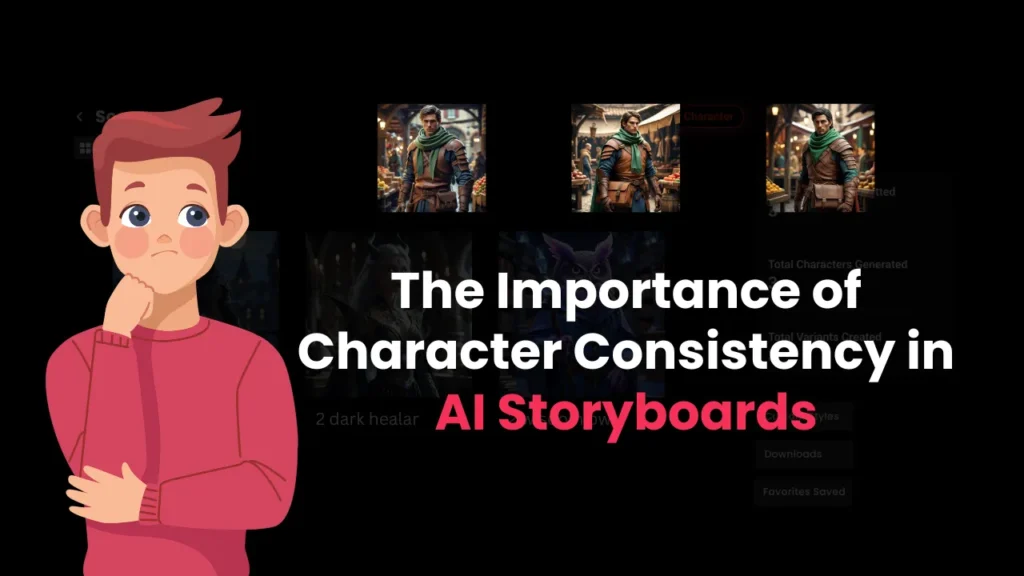
The Importance of Character Consistency in AI Storyboards
In modern AI-generated content, character continuity is everything—especially for ads, branded content, and long-form storytelling. Even a slight change in facial features, body type, outfit, or color palette can break the story’s flow.
This is why creators must use the same AI character maker, the same reference images, and the same prompt structure throughout all frames. When your character stays consistent across the storyboard, the final video looks polished, professional, and production-ready.
FAQs: Everything You Need to Know
What are the most common mistakes creators make in AI storyboarding?
Most creators rely too much on the AI, use vague prompts, skip pre-production, and forget shot composition rules. These mistakes lead to inconsistent characters, cluttered frames, and weak storytelling.
How do I avoid character inconsistency in AI-generated storyboards?
Use the same AI character maker, reference image, seed number, and character description across every frame. Repeat key traits like hairstyle, outfit, age, and personality in prompts.
Why does my AI storyboard generate different characters in each frame?
Because the prompts change slightly or lack character anchors. Keep the core description identical and add “same character as previous frame” or use consistent character presets.
How do I write better prompts for AI storyboarding?
Use structured prompts that include character, action, camera angle, environment, emotion, lighting, and style. The clearer your prompt, the better the AI follows your vision.
Why do my AI storyboard frames look cluttered or confusing?
You may be adding too many details in one scene. Focus each frame on one action, one emotion, and one clear visual message to keep storytelling clean.
How can I make my AI storyboard more cinematic?
Use cinematic keywords such as “soft lighting,” “wide shot,” “dramatic shadows,” “shallow depth of field,” “film look,” and “dynamic composition.” This gives frames a movie-like feel.
What pre-production steps should I follow before generating AI storyboards?
Always prepare a script breakdown, shot list, mood board, and reference images. This prevents random outputs and makes your storyboard visually aligned with your final video.
Why do my AI storyboards have continuity errors?
AI may randomly change props, outfits, or backgrounds if not specified. Repeat the same environment, costume details, and object descriptions across all prompts.
How do I maintain consistent camera angles in AI storyboards?
Mention the exact camera angle and lens in every prompt (e.g., “medium shot, 35mm lens, eye-level camera”). Repeating this ensures the AI keeps the visual style uniform.
What settings should I adjust in AI tools for better storyboard results?
Customize aspect ratio, lighting style, camera lens, and character presets. Avoid using default settings if you want professional, consistent frames.
Which AI tools help improve consistency in storyboarding?
AI character makers, video storyboard makers, script generators, and reference-matching tools all help maintain uniformity between frames. Using them together reduces visual drift.
Why do AI tools generate random props or objects in my frames?
If prompts are too vague, the AI fills gaps by adding unnecessary details. Add negative prompts like “no extra props” or “clean background” to avoid this.
How do I align my AI storyboard with brand guidelines?
Specify the brand colors, product look, typography style, lighting, and tone in every prompt. Also upload reference brand images so the AI learns the visual identity.

