Storyboarding for Brands — A Complete Guide (2025 Edition)

Storyboarding has evolved from a filmmaking tool into a powerful planning system for brands, advertisers, creators, and digital-first companies. Whether you’re producing a social media ad, a product demo, a 6-second TikTok, or a long-form commercial—you need a visual roadmap.
In today’s fast-moving digital world, brands rely heavily on video content, animations, and visually driven storytelling. Whether it’s a product launch, a social media ad, or a full-scale brand film, AI ad storyboarding has become the backbone of successful marketing campaigns.
What Is Storyboarding for Brands?
Storyboarding is the process of visually mapping out a video or campaign before production begins.
Think of it as the blueprint of your brand story — a frame-by-frame sketch of what the audience will see, feel, and understand.
Brands use storyboards for:
- Product explainer videos
- Motion graphics
- Instagram Reels & TikTok ads
- TV commercials
- Animated brand stories
- UI/UX product walk-throughs
It helps teams align on visuals, pacing, messaging, and creative style long before the camera rolls or animation begins.
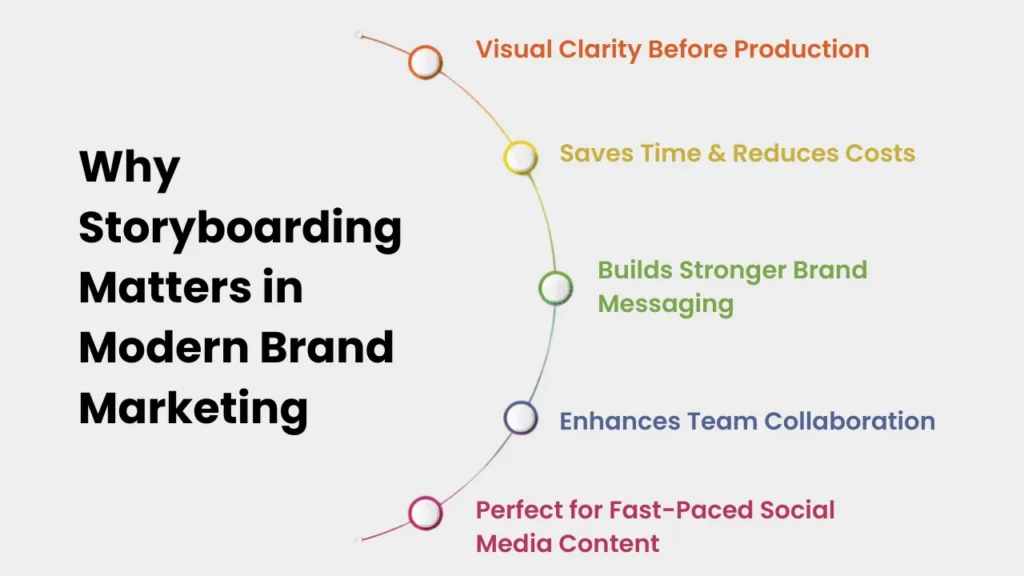
Why Storyboarding Matters in Modern Brand Marketing
Visual Clarity Before Production
Everyone — from designers to marketers — understands exactly how the final video will look.
Saves Time & Reduces Costs
Storyboards prevent expensive reshoots or redesigns because potential issues get solved early.
Builds Stronger Brand Messaging
It ensures every frame reflects the brand voice, colors, and storytelling direction.
Enhances Team Collaboration
Writers, designers, editors, and clients stay aligned throughout the project.
Perfect for Fast-Paced Social Media Content
Platforms like Instagram, YouTube, and TikTok reward tight, fast, visual-first content — perfectly planned through frames.
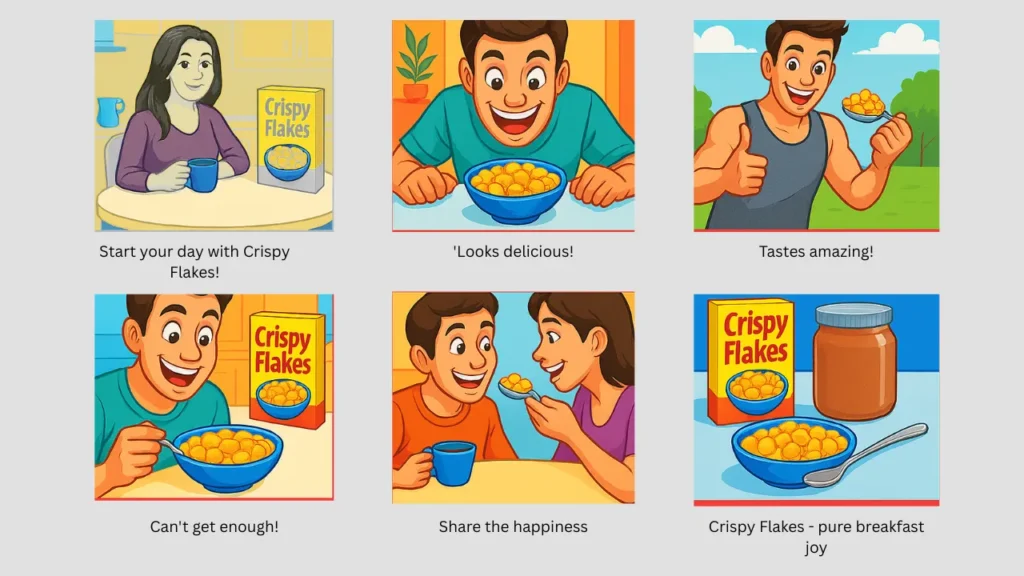
How Brands Use Storyboards in Social Media Ads
Social ads are short, fast-paced, and highly visual — making storyboarding essential for:
1. Crafting a Strong Opening Hook
Brands plan how the video grabs attention in the first 2–3 seconds.
2. Planning Smooth Transitions
Animations, swipes, text pop-ins, and jump cuts are visualized beforehand.
3. Highlighting Product Features Quickly
A storyboard helps identify which shots best show the product’s key benefits.
4. Maintaining Consistent Branding
Colors, fonts, logo placement, and tone are preset, ensuring uniformity across campaigns.
5. Making CTA Frames Clear & Impactful
The last frame — “Order Now,” “Subscribe,” or “Shop Today” — is often storyboarded separately for maximum impact.
This approach is used by brands like Nike, Target, Meta, Coca-Cola, and Amazon, who rely heavily on short-form video ads.
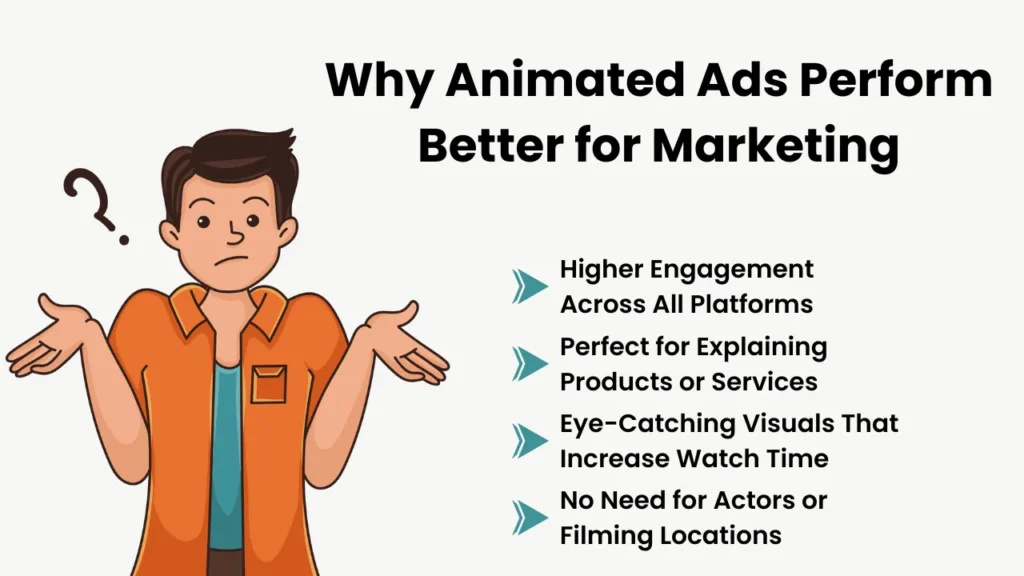
Why Animated Ads Perform Better for Marketing
Animated advertisements are one of the most effective digital marketing formats because they attract attention, simplify information, and boost brand recall.
Benefits of Using Animated Ads in Marketing
Higher Engagement Across All Platforms
Animations stand out on busy feeds and capture attention faster than static creatives or live-action footage.
Perfect for Explaining Products or Services
Complex features, tech products, and service workflows can be communicated visually through simple animations.
Eye-Catching Visuals That Increase Watch Time
Bright colors, fluid motion, expressive characters, and creative layouts make animated ads more memorable and visually appealing.
No Need for Actors or Filming Locations
Brands save money by removing production complexities like casting, shooting environments, and equipment setups—making animated ads versatile and budget-friendly.
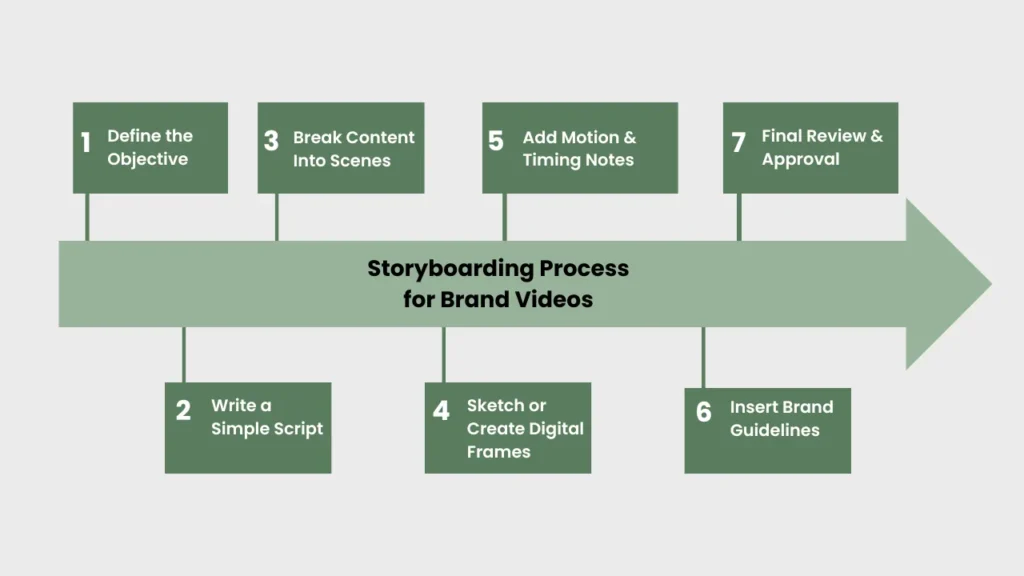
Storyboarding Process for Brand Videos (Step-by-Step)
Step 1: Define the Objective
Is the video meant to educate, sell, inspire, or explain?
Clear goals shape strong visuals.
Step 2: Write a Simple Script
Break the message into scenes:
- What’s the problem?
- What’s the solution?
- Why is this brand the answer?
- CTA at the end.
Step 3: Break Content Into Scenes
Each important idea becomes a frame or sequence.
Step 4: Sketch or Create Digital Frames
Draw basic characters, backgrounds, product shots, and camera angles.
Even rough sketches work.
Step 5: Add Motion & Timing Notes
Brands specify:
- Zoom-ins
- Transitions
- Animation speed
- Text overlays
- Scene timing
Step 6: Insert Brand Guidelines
Include:
- Brand colours
- Font styles
- Logo position
- Tone of voice
Step 7: Final Review & Approval
Creative, marketing, and animation teams review the storyboard before production starts.
US Brands That Actively Use Storyboarding
Storyboarding isn’t just for movies. Top U.S. brands rely on it daily for product launches, ads, and animated campaigns.
Tech & Digital
- Apple — product films, UI animations, keynote videos
- Google — animated explainers, UX workflows
- Microsoft — Surface ads, tutorials
- Meta — Facebook & Instagram campaigns
- Amazon — Alexa explainers, Prime Video promos
Retail & Lifestyle
- Nike — athlete storytelling commercials
- Coca-Cola — festival & seasonal animations
- Starbucks — brand films, training animations
- McDonald’s US — animated promos, collaborations
- Target — holiday promotions, ad sequences
Entertainment & Media
- Netflix — promo animations, series trailers
- Disney — branded animated campaigns
- HBO Max — motion graphics for show promos
Automotive
- Tesla — UI animations, product reveal videos
- Ford — tech innovation ads
- General Motors — safety feature animations
Food & Beverage
- These companies rely on storyboards to ensure their messaging stays consistent across large-volume content.
Most Iconic Examples of Brands using Storyboarding
1. Apple’s “1984” Commercial
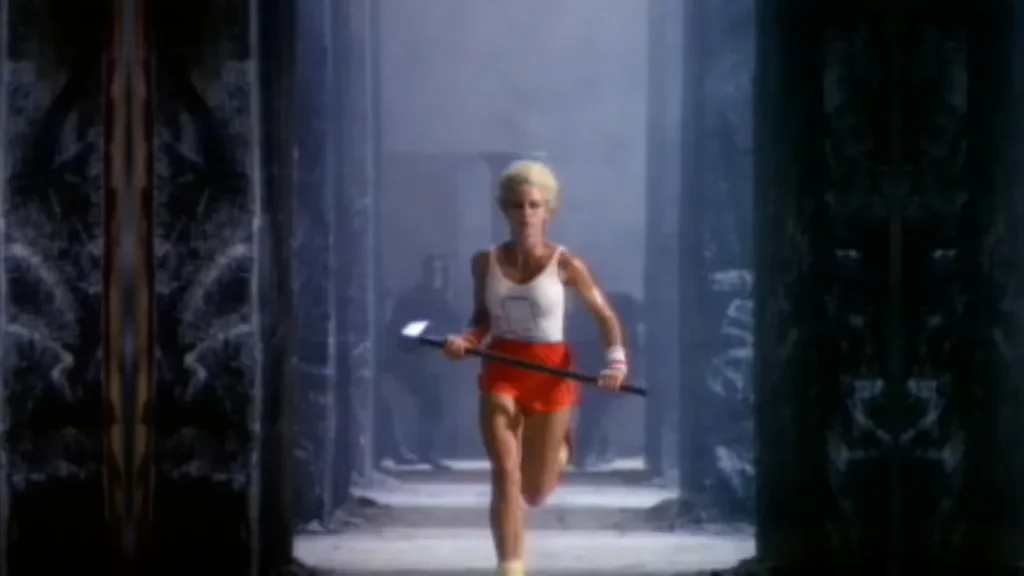
One of the most iconic ads ever created, and its storyboard is publicly available.It shows how powerful brand storytelling starts with strong visual planning.
2. Google Explainer Videos
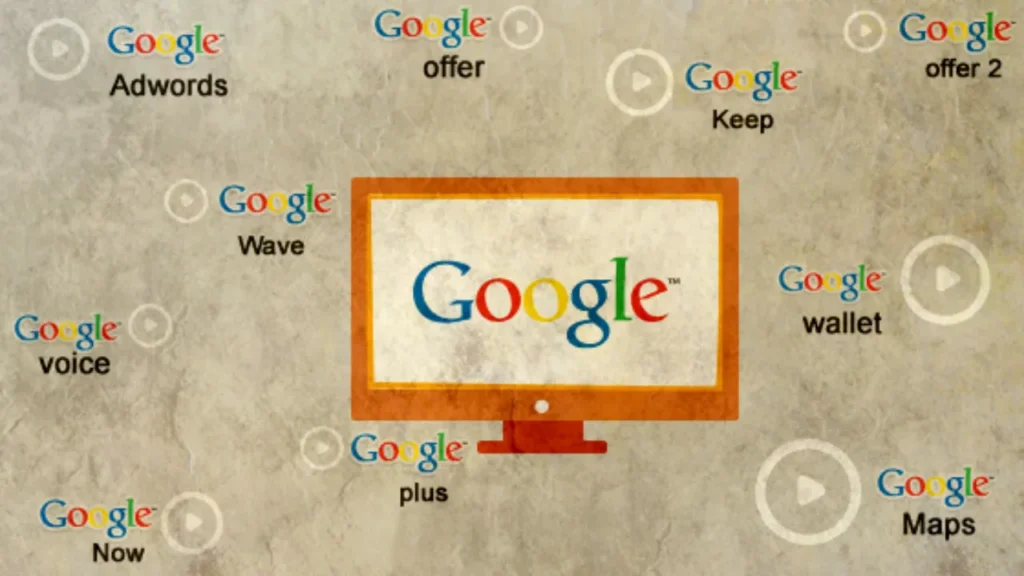
Many designers share storyboard frames created for Google’s product explainers — showcasing clean, simple, user-centered visual sequences.
3. Nike Athlete Storytelling
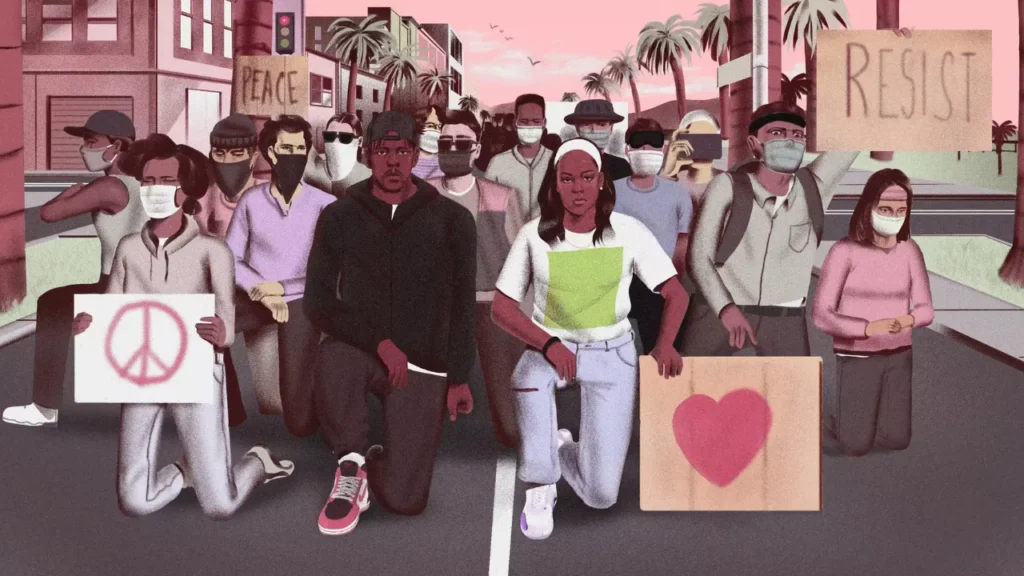
Nike uses dynamic, action-heavy storyboards to map athlete movements, product close-ups, and emotional beats.
Types of Storyboards Used in Brand Marketing
Brands use multiple storyboard styles depending on project type:
- Hand-drawn traditional frames
- Digital storyboard panels
- Motion graphics boards
- UI/UX flowboards (Google, Microsoft)
- Animation storyboards (Disney, Netflix)
- Social ad storyboards for Reels, TikTok, Shorts
Each type helps visualize a different form of storytelling.
Why Brands Use Storyboarding For Advertisement Video
Digital Storyboarding has become a core step in producing high-performing advertisement videos. It helps brands map out every scene before animation or production begins, ensuring the final ad is visually consistent, engaging, and cost-efficient.
Top Benefits of Using Storyboards in Advertising
1. Faster Approvals and Smoother Collaboration
Storyboards give marketing teams, creative directors, and stakeholders a clear visual plan. This speeds up approvals and eliminates miscommunication during production.
2. Brand-Consistent Visuals in Every Frame
From color palette to motion style, storyboards help maintain a strong brand identity across all advertisement videos—especially for animated and social media ads.
3. Clear Script-to-Screen Visualization
Instead of guessing how a script will look, storyboards provide a precise visual breakdown of the ad. This makes the production process more predictable and accurate.
4. Reduced Production Costs and Fewer Revisions
When every scene is pre-planned, brands avoid unnecessary changes, reshoots, or re-animations. Storyboarding saves time and reduces overall ad production costs.
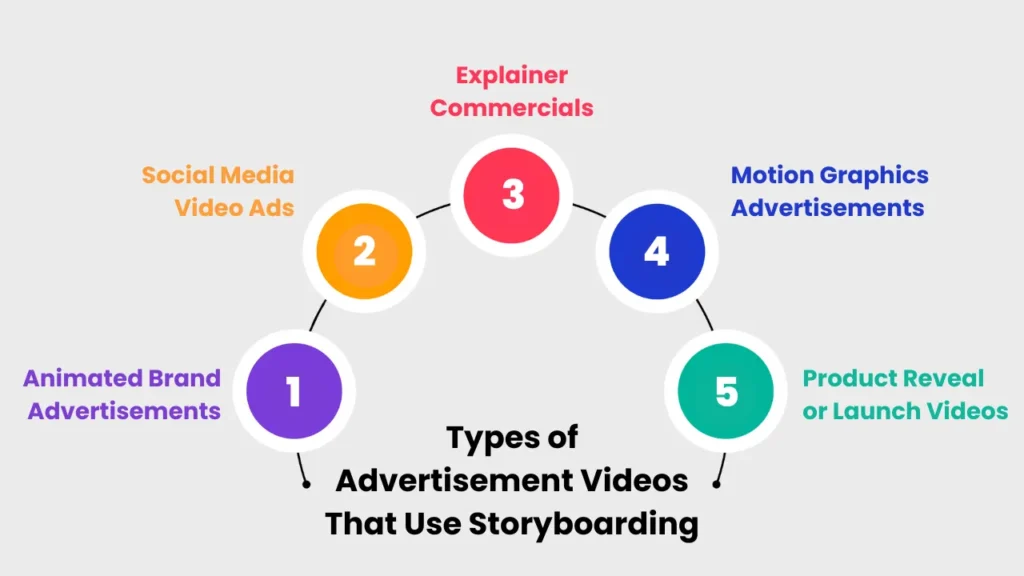
Types of Advertisement Videos That Use Storyboarding
Storyboarding is used across various advertising formats to strengthen storytelling, visual direction, and marketing effectiveness.
1. Animated Brand Advertisements
Brands rely on storyboards to plan character actions, product highlights, transitions, and overall narrative for animated ads.
2. Social Media Video Ads
Instagram Reels, TikTok ads, YouTube Shorts, and Facebook ads perform better when storyboarded to plan hooks, timing, text overlays, and CTAs.
3. Explainer Commercials
Businesses use Commercial storyboards to simplify complex ideas into clean, step-by-step animated explainer ads.
4. Motion Graphics Advertisements
Storyboard planning ensures smooth transitions, typography animation, icon movements, and visual rhythm in motion-graphic-based ads.
5. Product Reveal or Launch Videos
Storyboards help map out close-up shots, features, angles, lighting, and dramatic sequences for product-focused ad videos.
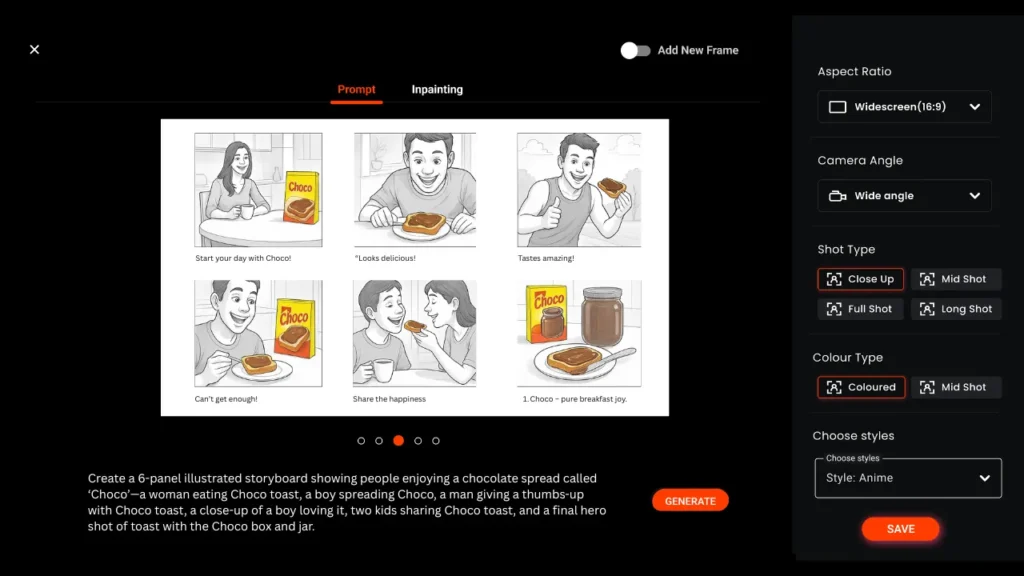
How Murphy Helps Brands Create Animated & Storyboard-Based Advertisement Videos
Murphy provides end-to-end creative production services designed to help brands deliver high-quality, storyboard-driven animated advertisements.
1. Animated Commercial Video Production
High-impact animated ads designed to attract attention and enhance brand storytelling.
2. Social Media Ad Animation
Short, engaging animated ads optimized for Instagram, TikTok, YouTube, and other social platforms.
3. Motion Graphics Advertising
Professional typography animations, transitions, and dynamic visuals crafted for digital campaigns.
4. Script, Storyboard & Full Animation Pipeline
Murphy manages the entire ad creation process—from scriptwriting and storyboard design to animation and final delivery.
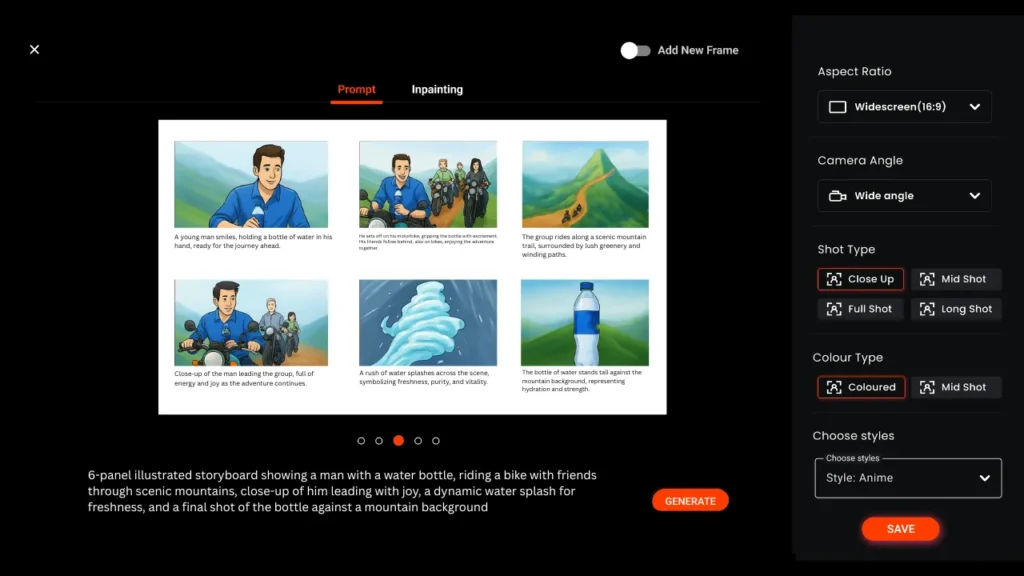
AI in Ad Storyboarding & Animation Workflow (2025 Update)
AI has transformed how brands plan, design, and produce advertisement videos. What used to take days can now be visualized in minutes, making AI-driven storyboarding one of the biggest marketing trends of 2025.
With the rise of AI storyboard generators, AI character makers, and AI animation tools, brands can create faster, more accurate visual plans—reducing production time and improving creative experimentation.
AI-Generated Storyboards (Faster Concepting)
Brands can instantly convert scripts into visual storyboard frames using AI tools.
This helps teams quickly explore different visual directions, opening hooks, transitions, and creative layouts—long before formal production begins.
AI Character Creation for Ads
AI can design:
- brand mascots
- explainer characters
- stylized illustrations
- 3D-ready character models
This is especially useful for brands that need consistent visual identity without hiring illustrators or full animation teams.
AI Motion & Scene Previews
AI tools can generate:
- pre-visualized camera movements
- animation timing previews
- mock transitions
- lighting simulations
This allows marketers to “see” the ad before animation starts—cutting down revisions and improving clarity.
Faster Iteration & Version Testing
AI makes it easy to test:
- multiple color themes
- different ad concepts
- alternative CTA frames
- social media aspect ratios
Brands get more options, faster—without increasing production cost.
Improved Consistency Across Campaigns
AI ensures every storyboard aligns with the brand’s:
- style guide
- animation style
- color palette
- character consistency
Perfect for brands producing high-volume content.
FAQs
1. What is a storyboard in advertising?
A storyboard in advertising is a visual sequence of frames that outlines how an ad will look before production begins. It includes sketches, scene notes, dialogues, transitions, camera angles, and branding cues. This helps creative teams visualize the full commercial from start to finish.
2. Why do brands need a storyboard for ads or marketing videos?
Brands use storyboards to avoid confusion, speed up approvals, and ensure every visual supports the campaign’s message. A storyboard acts as a blueprint that keeps design teams, marketers, and clients aligned long before animation or filming starts.
3. How long does the storyboarding process take for an ad video?
The timeline depends on the complexity, but most marketing storyboards take 1–5 days to complete. Simple social ads are faster, while animated or character-driven ads may require more detailed planning.
4. How much does it cost to create a storyboard for a commercial or animated ad?
Costs vary based on the level of detail and number of frames. Agencies typically charge anywhere between $100 to $1,500+, depending on illustration style, concept depth, and project scale. AI-assisted storyboard tools can reduce this cost significantly.
5. Do I need artistic skills to make a storyboard for an advertisement?
No. A storyboard does not require perfect drawings. Rough sketches, stick figures, or digital boxes with text notes work fine. What matters is clarity—showing what will happen in each scene and how the story flows.
6. What tools should I use to create a storyboard for my ad?
Popular tools include Storyboarder, Boords, Figma, Adobe Animate, and various AI storyboard generators. These platforms help marketers quickly turn scripts into structured visual frames.
7. Can I use AI to generate a storyboard for my marketing video?
Yes. AI storyboard generators can instantly convert a script or idea into visual frames. They help with concept exploration, layout options, character ideas, and scene planning. Many brands now rely on AI for faster pre-production.
8. How do I make a storyboard for a social media ad (Instagram/TikTok)?
Start by mapping out:
- the first 2-second hook
- key product scenes
- transitions
- text overlays
- CTA frame
Keep it short, visually heavy, and optimized for vertical formats.
9. What’s the difference between a mood board, storyboard, and shooting board?
- Mood Board: Visual inspiration—colors, fonts, style direction.
- Storyboard: Scene-by-scene plan showing how the video will look.
- Shooting Board: A refined storyboard used specifically for live-action filming with technical details.
10. How detailed should my storyboard be?
It depends on the ad. Fast social ads need simple frames and timing notes. Animated ads require more details like character actions, transitions, and motion guidance. The goal is clarity, not perfection.
11. Can changes be made after the storyboard is approved?
Yes, but major revisions after approval may affect production timelines and budgets. That’s why teams usually aim to finalize all visuals during the storyboard stage.
12. What questions should I ask my video agency before storyboarding an ad?
Ask about:
- production timeline
- number of revisions
- animation style options
- storyboard format
- brand guideline integration
- expected deliverables
This avoids misunderstandings during production.
13. How do I align my storyboard with brand messaging and guidelines?
Include your brand’s:
- color palette
- tone of voice
- fonts
- logo rules
- visual do’s and don’ts
These should be embedded directly into your storyboard templates.
14. Will having a storyboard actually save money and time in ad production?
Absolutely. A storyboard prevents rework, cuts down revisions, speeds up approvals, and keeps animation or filming on track. It’s one of the most cost-effective steps in video production.
15. How do I test or validate storyboard ideas before full animation?
Brands often use:
- animatics (rough motion previews)
- quick AI motion tests
- internal focus-group feedback
- A/B testing hooks or concepts
This helps finalize the strongest direction before investing in production.

